

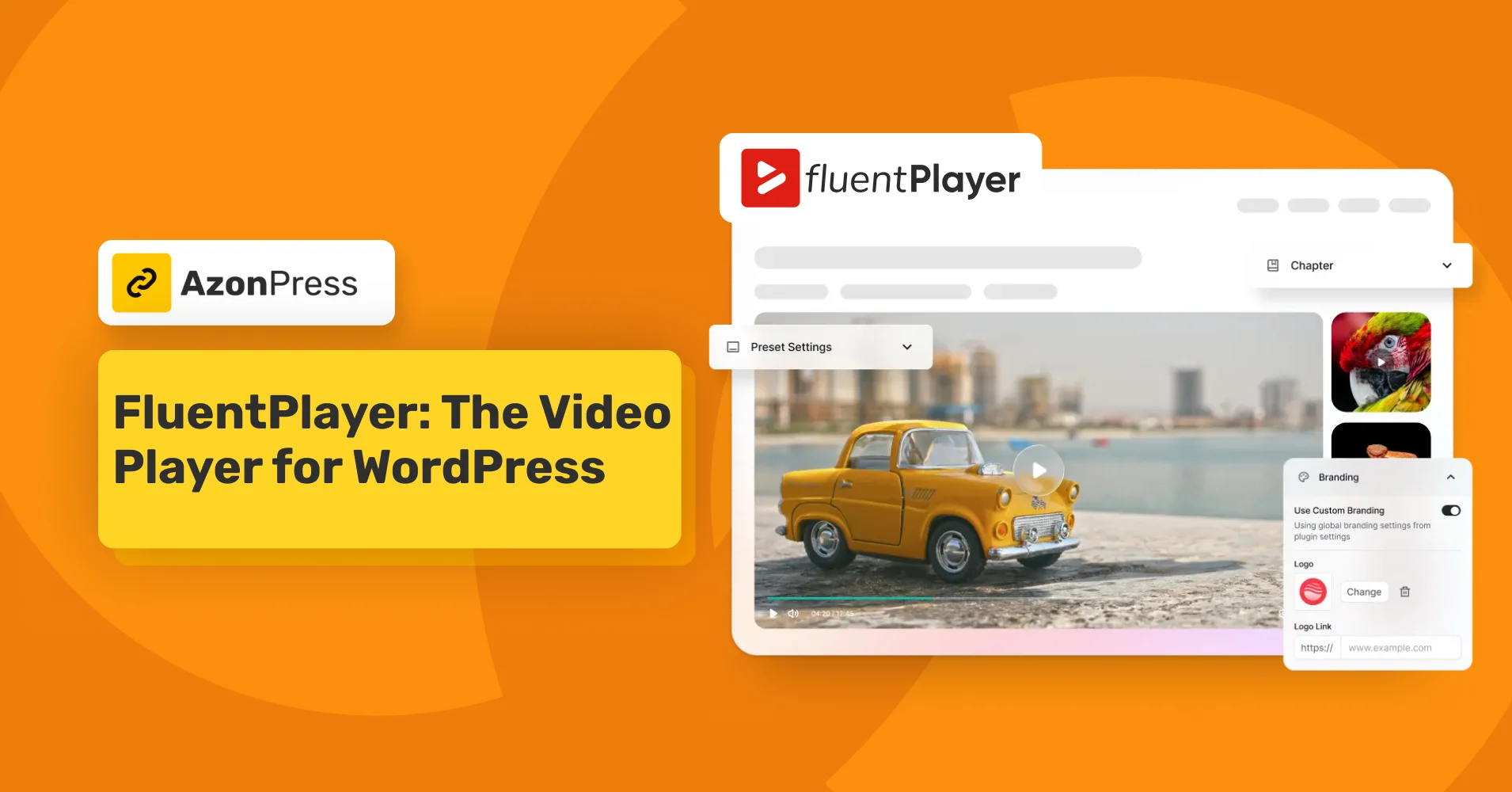
Say Hello to FluentPlayer: The Video Player for WordPress


Most WordPress video players do one thing: play videos. That’s it.
You embed a YouTube video, it plays, and you move on. But you have no idea if anyone actually watched it. You don’t know where they dropped off, whether the video is helping your conversions, or if that tutorial you spent hours recording is being finished by anyone at all.
FluentPlayer is WPManageNinja’s answer to that problem, a WordPress video player built to turn video from a passive media file into an active part of your site’s workflow.
The good news is that FluentPlayer’s EarlyBird Deal is live. You can grab it now.
TL;DR
– FluentPlayer is a video player for WordPress developed by WPManageNinja.
– The plugin gives you real control over how videos look and behave.
– The Pro plan adds video analytics: completion rate, audience retention, watch time, unique viewers, and drop-off points.
– The standout feature, Interactive Layers, lets you embed forms, CTAs, and email capture right inside your videos.
– It works with self-hosted videos, YouTube, Vimeo, BunnyCDN, Mux, and audio files, all from one player.
– It connects natively with Fluent Forms, FluentCRM, and FluentCommunity, so video becomes part of your existing workflow instead of a separate tool.
– FluentPlayer is built for educators, marketers, content creators, agencies, and podcasters, with different features serving different use cases.
Meet FluentPlayer
FluentPlayer is a video player plugin for WordPress developed by WPManageNinja, the team behind Fluent Forms, FluentCRM, Paymattic, AzonPress, FluentCommunity, and several other tools trusted by 1.6M+ businesses.
FluentPlayer brings together custom branding, interactive in-video layers, built-in analytics, playlists, chapters, resume playback, and deep integration with the Fluent ecosystem, all in one plugin that lives entirely on your WordPress site.
The plugin gives you real control over your video: how it looks, how it behaves, what happens while someone watches it, and what data comes back to you afterward. You also get speed control, video chapters, language switching, custom thumbnails, aspect ratio control, and a title overlay. Branding is also in your hands: set your logo, a brand color, and a control bar color so the player matches your site.
It supports videos from YouTube, Vimeo, BunnyCDN, Mux, self-hosted sources, and HLS streams. So wherever your content lives, you’re covered.
FluentPlayer’s free plan already covers the essential features; if you want to go even further, the Pro plan unlocks advanced analytics and deeper ecosystem integrations, so you can scale up exactly when you’re ready.
FluentPlayer is built for every kind of video user
Video means something different depending on who you are and what you’re building.
A course creator needs structure and navigation. A marketer needs conversion tools. An agency needs consistency at scale.
FluentPlayer is built to adapt to all of it.
Online educators: If you’re running an online course, tutorials, or training content, FluentPlayer’s chapters, playlists, and resume playback make long-form content actually manageable for learners. Students can follow lessons at their own pace, jump to what they need, and pick up where they left off.
Marketers: Video on a landing page should be doing more than just playing. With FluentPlayer, you can add an email capture overlay at the right moment, trigger a CTA when interest is highest, and track exactly where viewers drop off before they reach your offer.
Content creators: Managing a growing library of videos across multiple sources is messy. FluentPlayer brings them all under one consistent player, with chapters and playlists that make your content library easier to navigate.
Agencies: Agencies can create reusable player presets and deploy consistent video experiences across multiple client sites, without setting up each player from scratch every time.
Podcasters: FluentPlayer also works for audio. Upload your audio files directly to your WordPress media library and use all the same player settings you’d use for video content.
A Look at FluentPlayer’s core features
FluentPlayer isn’t just about playing videos; it’s about what happens around the playback.
Here’s a closer look at the features that make that possible.
Interactive layers
This is the feature that sets FluentPlayer apart from every other WordPress video player.
Interactive Layers let you embed live elements directly inside a video at any specific timestamp. When a viewer reaches that moment in the video, the element appears inside the player, without interrupting playback or redirecting them elsewhere.
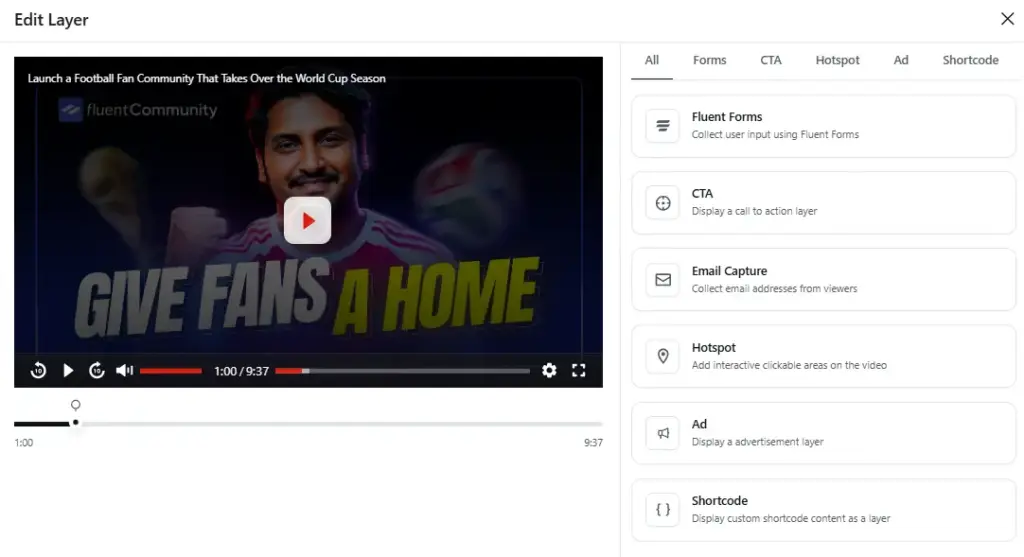
What can you embed?
- Email capture forms: Collect leads while viewers are most engaged
- CTA buttons: Drive clicks at the right moment
- Hotspots: Guide viewers to resources or product pages
- Fluent Forms forms: Drop any form directly into the video
- Shortcodes: Add custom experiences using any Gutenberg block
- Ad placements: Monetize your video content
You can also set conditional rules on each layer, so different viewer segments see different prompts. It’s not one-size-fits-all; each layer has its own conditions panel built on a Field, Operator, and Value setup.
Video playlists
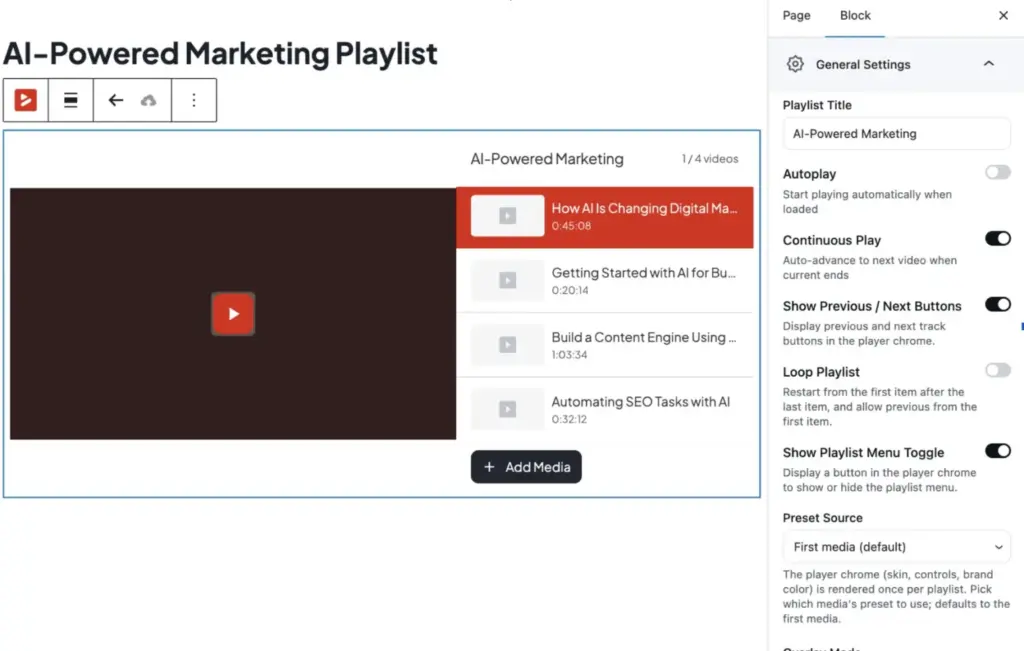
Long-form content is hard to navigate without structure. FluentPlayer lets you group videos into ordered playlists, so viewers can jump directly to the section they need.
You can display playlists in a grid or sidebar layout, with autoplay and resume controls built in. For educators, course creators, and anyone publishing multi-part video content, this alone is a significant improvement over basic embeds.
Video chapters
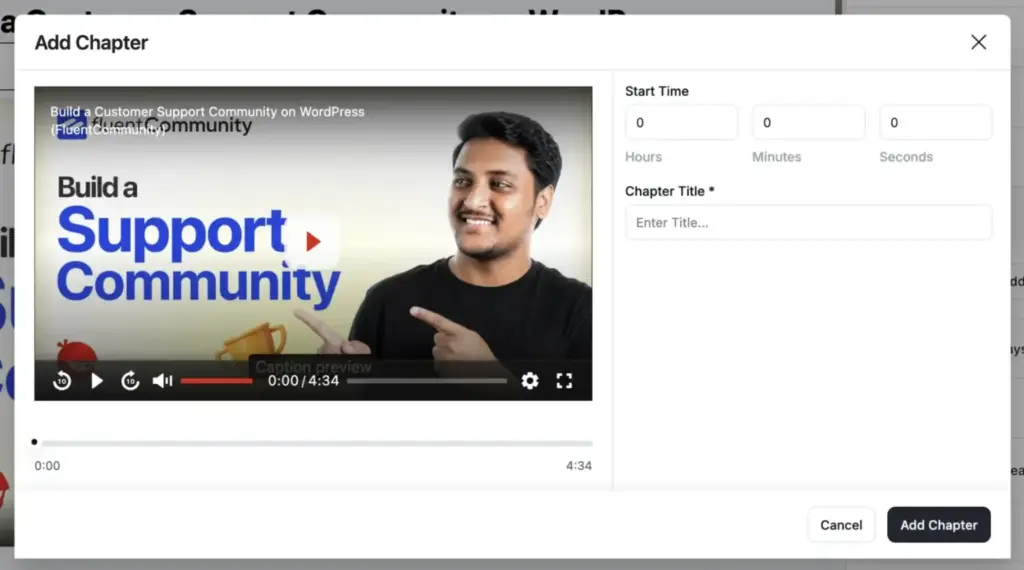
FluentPlayer lets you label video chapters so students can jump straight to the section they need. You add each one with a start time and a title, and FluentPlayer ends each chapter automatically when the next one begins.
Lower friction means higher completion rates, and completion is what turns a buyer into a graduate who leaves a five-star review and buys your next course.
Multiple media sources
Your videos don’t all live in one place, and they don’t have to.
FluentPlayer works with self-hosted videos, YouTube, Vimeo, BunnyCDN, Mux, audio files, and external URLs, all from the same player.
No matter where your content is hosted, the playback experience stays consistent across every source.
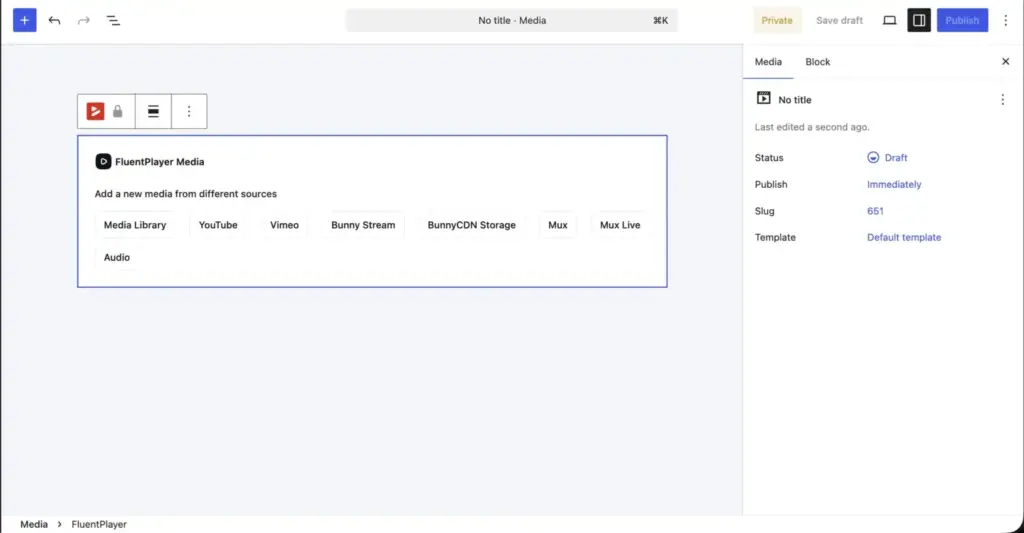
Subtitles and language switching
Not every viewer speaks the same language, and FluentPlayer doesn’t assume they do. You can attach multiple subtitle files to any video and let viewers switch between languages directly from the player controls.
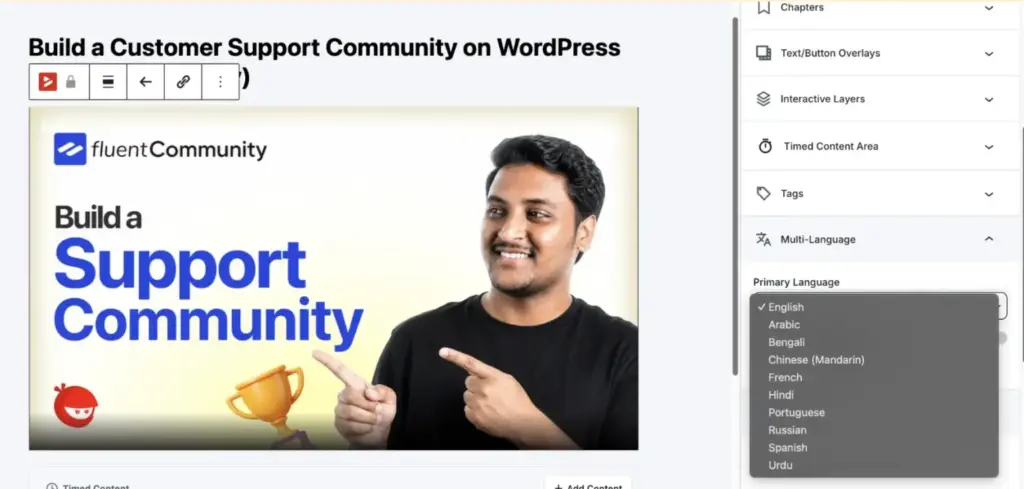
No third-party tool needed, no manual workarounds. Just upload your caption tracks, and FluentPlayer handles the rest.
Custom branding
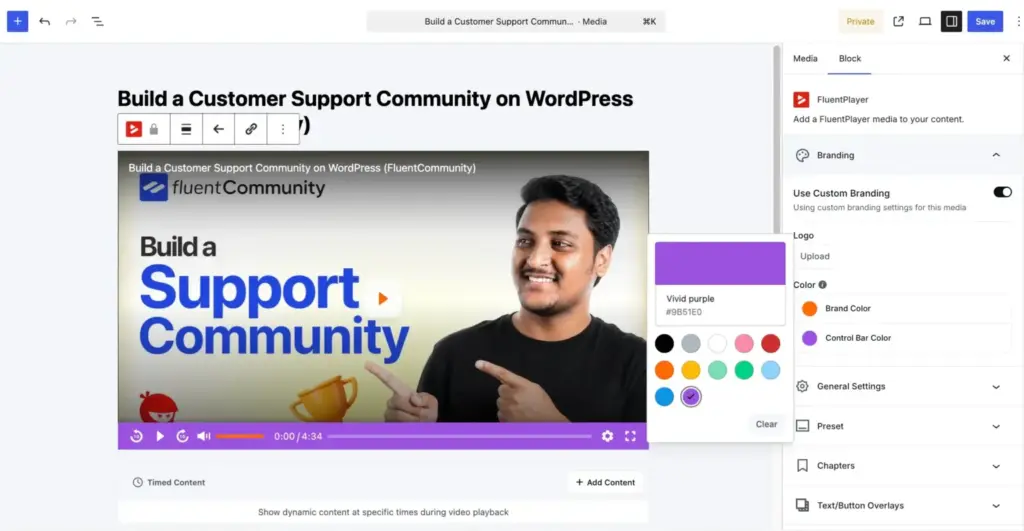
Every FluentPlayer instance can carry your logo and brand colors. This matters more than it sounds when a viewer is on your website; they should feel like they’re on your website, not a third-party platform.
You can create and save player presets to reuse across pages and sites, which is particularly useful for agencies managing multiple client projects.
Customizable player presets
Setting up your player from scratch every time you embed a video adds up fast. With FluentPlayer, you can create your own player presets, define how the player looks and behaves once, save it, and reuse it across any page or video on your site.
The plugin offers six presets in the free version: Default, Modern, Simple, Minimal, Standard, and Floating. Pro adds an Ambient preset. You can build and save your own custom presets to reuse across pages.
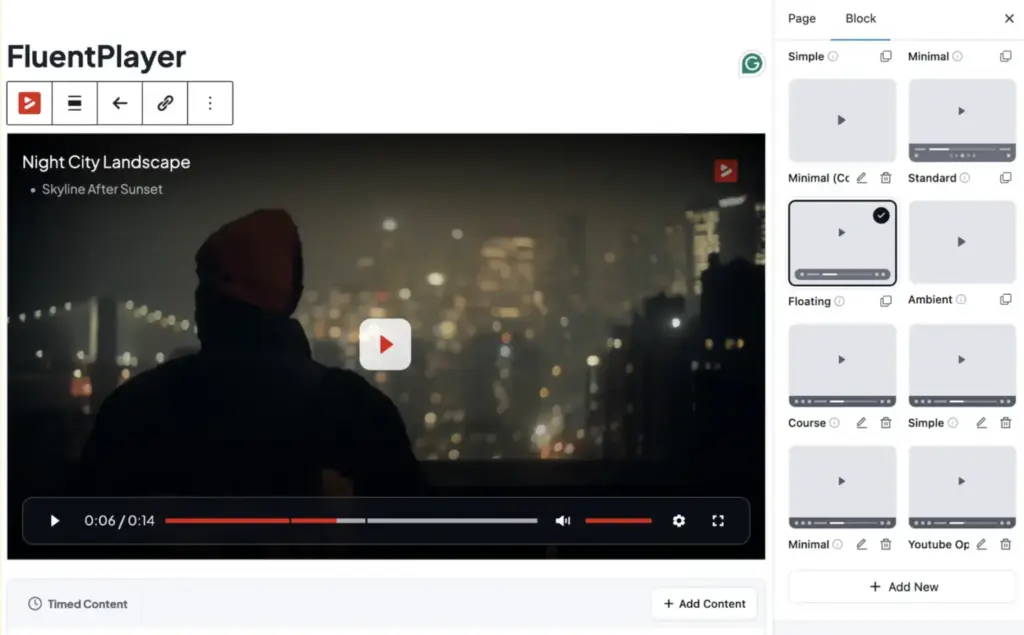
It keeps your video experience consistent without the repetitive setup work.
Resume playback
Videos remember exactly where each viewer stopped. When they come back, they pick up from the same point.
For tutorial creators, online educators, and anyone producing content longer than a few minutes, this removes a real friction point. Viewers don’t have to scrub around to find their place; they just hit play and continue.
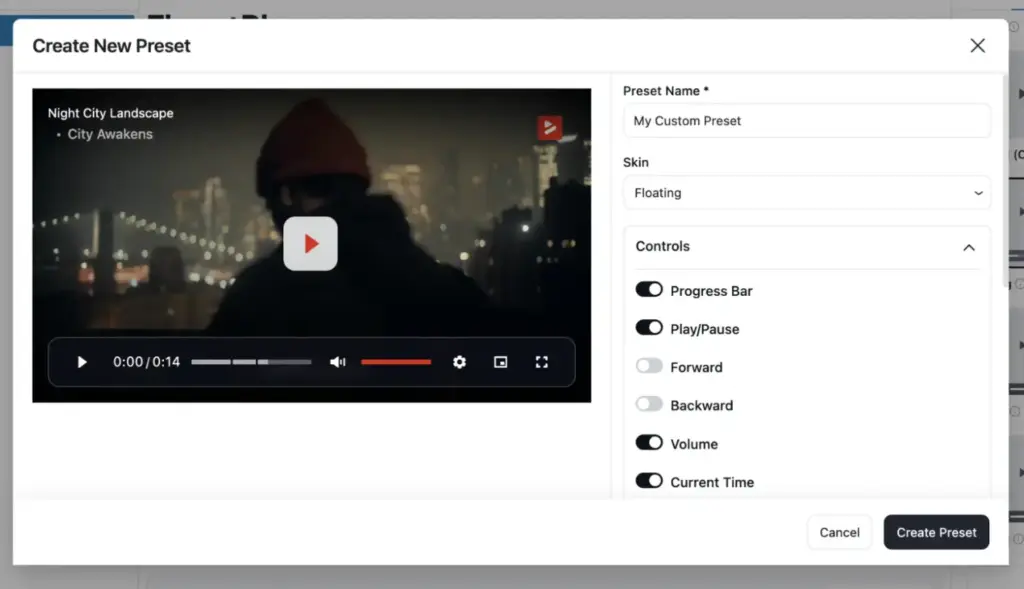
FluentPlayer gives you and your viewers full control over how videos play:
- Autoplay: Muted or with sound
- Playback speed control: Viewers can speed up or slow down
- Picture-in-picture: For HTML5 videos
- Inline mobile playback: No forced full-screen
- Subtitles and language switching: Attach multiple caption tracks
Built-in video analytics
You can see exactly how your videos perform directly from your WordPress dashboard:
You can track:
- Total views and unique viewers
- Average watch time
- Completion rate
- Audience retention graphs, see where viewers drop off
- New vs. returning viewers
- Device and location breakdown
- Performance trends over time
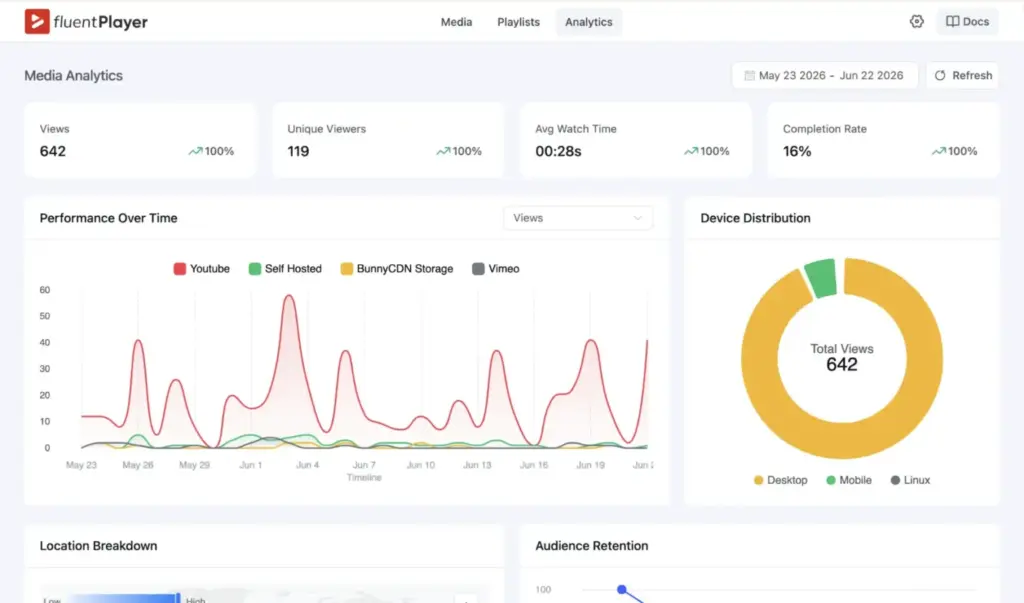
FluentPlayer also connects with Google Analytics for deeper cross-site analysis.
This kind of data is what separates video as a genuine business asset from video as a decoration on your page.
How FluentPlayer fits into the Fluent ecosystem
If you’re already using any WPManageNinja tools, FluentPlayer isn’t just another plugin; it plugs directly into what you’ve already built.
With Fluent Forms: You can embed any Fluent Form inside a video at a specific timestamp. Drop a quote request form at the moment you show pricing in a demo. Add a feedback form at the end of a tutorial while attention is still high. Submissions land in Fluent Forms exactly as they would from any other form placement on your site.
With FluentCRM: Email addresses collected through a video are automatically added to your FluentCRM contact lists with tags. From there, you can segment and nurture those leads using any FluentCRM automation, no extra import steps, no Zapier required.
With FluentCommunity: If you’re running a membership site or online courses in FluentCommunity, you can add FluentPlayer videos directly to your course lessons and track how members engage with each one.
Get started with FluentPlayer today
If you’re already using Fluent Forms, FluentCRM, FluentCommunity, Paymattic, or any other WPManageNinja product, FluentPlayer is the piece that brings video into the same workflow you’ve already built. It doesn’t ask you to change how you work; it fits into it.
FluentPlayer’s Pricing
- Personal (1 Site)
For your own site & a side project.
$199 /one-time lifetime license
- Freelancer (5 Sites)
Covers today’s clients and next year’s.
$399 /one-time lifetime license
- Studio (25 Sites)
For growing studios & multi-brand sites.
$599 /one-time lifetime license
- Agency 50 Sites
One license for every client, forever.
Pay monthly – $89x 9months
One-time payment – $799 /one-time
All plans included:
- All features
- Future updates
- Lifetime priority support



Read Similar Blogs
We build lasting partnerships to boost and manage revenue growth



Leave a Reply