

How to Start Selling on Amazon: A Beginner’s Guide


Selling on Amazon looks simple from the outside. Create an account, list a product, watch the orders roll in. Then you open Seller Central for the first time and realize nobody explained the actual steps.
That’s normal. Most beginners feel overwhelmed in the first hour.
This guide walks you through the entire process, from choosing a business model to making your first sale. We’ll cover the parts most guides gloss over, like calculating real fees and avoiding mistakes that quietly kill new seller accounts.
By the end, you’ll know exactly what to do next.
Let’s get into it.
TL;DR
Is selling on Amazon worth it?
Before you invest time or money, it’s worth asking the obvious question: is this actually worth doing?
Amazon is the largest online marketplace in the world. Millions of shoppers search it every single day, already in buying mode. That’s the biggest advantage new sellers get that they can’t get anywhere else: built-in demand.
The market size is huge. Amazon processes an enormous volume of third-party sales every year, and that number keeps growing. You’re not trying to convince people Amazon is trustworthy. They already trust it.
The income potential varies a lot. Some sellers make a few hundred dollars a month on the side. Others build six- and seven-figure brands. The difference usually comes down to product choice, consistency, and how well they manage fees and inventory, not luck.
Here’s a quick breakdown of the tradeoffs.
Benefits of selling on Amazon :
- Access to hundreds of millions of active shoppers
- Amazon handles trust, payments, and (if you choose FBA) shipping
- Multiple business models to fit different budgets
- Scalable once you find a working product
Challenges of selling on Amazon :
- Referral and fulfillment fees eat into margins
- Competitive categories require real differentiation
- Account health rules are strict, and violations can suspend your account
- Initial product research and sourcing takes real time
Selling on Amazon isn’t a shortcut to easy money. But for people willing to research properly and treat it like a real business, it’s one of the most accessible ways to start selling online.
How does selling on Amazon work?
Before choosing a business model, it helps to understand the basic mechanics.
Amazon is a marketplace, which means it connects buyers and third-party sellers on one platform. You’re not building your own store from scratch. You’re setting up shop inside a mall that already has foot traffic.
Here’s the simplified flow:
- You list a product: Either you match an existing listing or create a new one with your own product details.
- A customer finds and buys it: Amazon’s search algorithm (called A9) decides which listings show up for which searches.
- Amazon processes the payment: Customers pay Amazon directly, not you.
- The order gets fulfilled: Either you ship it yourself, or Amazon ships it for you if you’re using FBA.
- Amazon deposits your earnings: Minus referral fees and any fulfillment costs, on a regular payout schedule.
That last point matters: Amazon controls the customer relationship, the payment flow, and a lot of the visibility. You’re renting shelf space, not owning the store. Understanding that upfront helps you set realistic expectations for how much control you’ll actually have.
Choose your selling model
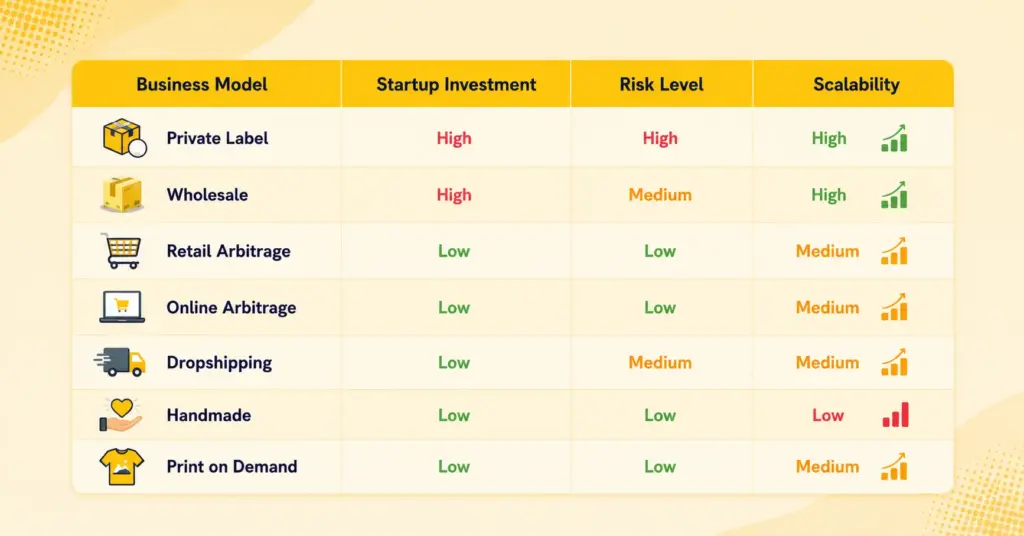
This is the decision that shapes everything else. How you source products determines your investment, your risk, and how much control you have.
Private label
You work with a manufacturer to produce a product under your own brand. You control the packaging, the branding, and often the product specs.
Pros: Higher margins, full brand control, easier to build long-term value.
Cons: Requires the biggest upfront investment. You’re also responsible for quality control and initial marketing.
Wholesale
You buy products in bulk directly from brands or authorized distributors, then resell them under the brand’s existing listing.
Pros: Established products with proven demand. No need to build a brand from scratch.
Cons: Thinner margins since you’re often competing with other sellers on the same listing.
Retail arbitrage
You buy discounted or clearance items from physical stores like Target or Walmart, then resell them on Amazon at a markup.
Pros: Low investment, easy to start today.
Cons: Inconsistent stock, time-consuming, and margins shrink fast once you factor in the time spent shopping.
Online arbitrage
Same concept as retail arbitrage, but you source from online retailers instead of physical stores.
Pros: You can do it from home, no driving to stores.
Cons: Even more competition, since anyone with internet access can do it too.
Dropshipping
You list a product without holding inventory. When someone orders, your supplier ships it directly to the customer.
Pros: Very low upfront cost.
Cons: Amazon has strict rules here. You must be the seller of record on every package, and your supplier’s branding can’t show up anywhere. Violating this can get your account suspended.
Handmade
For sellers who make their own products. Amazon Handmade is a dedicated program for artisans.
Pros: Unique products, less direct price competition.
Cons: Doesn’t scale as easily since production is manual.
Print on demand
You upload designs, and a third party (like Amazon Merch) prints and ships on your behalf.
Pros: Zero inventory, low risk.
Cons: Lower per-unit profit, and you’re dependent on the platform’s approval process.
Our recommendation for beginners: if you have some capital and want to build something long-term, private label is usually the strongest starting point. If you want to test the waters with minimal risk first, retail or online arbitrage teaches you the mechanics of Amazon selling without a big financial commitment.
Find a profitable product
This is where a lot of beginners get stuck, and honestly, where a lot of them go wrong. Choosing the wrong product can sink an otherwise solid business plan.
Here’s what actually matters when evaluating a product idea:
- Demand: Is there consistent search volume for this product, or is it a fad?
- Competition: How many other sellers are already listing something similar? Saturated categories make it harder to get visibility.
- Profit margins: After sourcing costs, Amazon fees, and shipping, is there still meaningful profit left?
- Product size and weight: Smaller, lighter products are cheaper to ship and store, especially with FBA.
- Seasonality: A product that only sells in December can leave you with dead inventory the other 11 months.
- Restrictions: Some categories require approval before you can sell in them, and some products are banned outright.
A quick sanity check before committing to any product: if you can’t clearly answer “who is buying this and why,” keep researching. Products that solve a specific, relatable problem tend to outperform generic items with no clear buyer.
Get access to our exclusive offers and pro tips!
Find product suppliers
Once you’ve settled on a product, you need somewhere to source it from.
Alibaba is the most common starting point for private label and wholesale sellers, especially for products manufactured overseas. You can browse manufacturers, request quotes, and negotiate minimum order quantities.
Local manufacturers are worth considering too, particularly if “Made in USA” or similar local branding matters to your target customer. Shipping times are also shorter.
Wholesale suppliers and distributors work well if you’re not manufacturing your own product and instead reselling an established brand.
A few practical tips before you commit to any supplier:
- Always order samples first. Never place a bulk order without physically checking the product’s quality yourself.
- Ask for references or reviews from other buyers if you’re working with a new manufacturer.
- Do a quality inspection before the product ships, especially for larger orders. Some sellers hire third-party inspection services for this.
- Confirm lead times in writing. Manufacturing delays are common, and they can throw off your launch timeline.
Rushing this step is one of the most common reasons new sellers end up with damaged, low-quality, or mislabeled inventory.
Pick your fulfillment method
Once you’ve picked your model, products, and suppliers, there’s one more decision to make: who’s going to store and ship your orders, you or Amazon?
That choice comes down to two options: FBA and FBM. Let’s break down how each one actually works.
Amazon FBA (Fulfillment by Amazon)
You send your inventory to Amazon’s warehouses. Amazon picks, packs, ships, and handles customer service and returns.
Pros:
- Products qualify for Prime shipping, which shoppers actively filter for
- Amazon handles customer service and returns
- Higher chance of winning the Featured Offer (Buy Box)
- You can scale without hiring anyone
Cons:
- Storage and fulfillment fees add up, especially for slow-moving inventory
- Less control over packaging and the unboxing experience
- Long-term storage fees kick in if products sit too long
Amazon FBM (Fulfilled by merchant)
You store, pack, and ship every order yourself.
Pros:
- Lower fees since you skip Amazon’s storage and pick-pack costs
- Full control over packaging and shipping speed
- Better for bulky, fragile, or slow-moving items
Cons:
- You’re responsible for shipping speed, which affects your search ranking
- No Prime badge unless you qualify for Seller Fulfilled Prime
- Customer service and returns are on you
Here is a quick comparison between FBA vs FBM.
| Factor | FBA | FBM |
| Who ships orders | Amazon | You |
| Prime eligibility | Yes | Only with Seller Fulfilled Prime |
| Storage fees | Yes, ongoing | No |
| Customer service | Handled by Amazon | Handled by you |
| Best for | Standard-size, fast-moving products | Bulky, custom, or low-volume products |
| Buy Box advantage | Higher | Lower |
Our take: if you’re just starting out and your product is a standard size, FBA removes a lot of operational headaches. Once you understand the fee structure and your product proves itself, some sellers switch specific SKUs to FBM to protect margins. You can actually run both at once, depending on the product.
Affiliate Marketing vs Amazon FBA: Which One to Choose?
Steps to create an Amazon seller account
Once you’ve picked a model and fulfillment method, it’s time to actually set up your Amazon seller account.
Before creating your Amazon seller account, make sure you have the following:
- Government-issued ID or passport
- Bank account or recent bank statement
- Valid credit or debit card
- Phone number
- Tax information
When you’ve everything on hand, now follow the steps mentioned below:
Step 1: Visit Amazon Seller Central
Go to Amazon’s seller registration page and start the sign-up process.
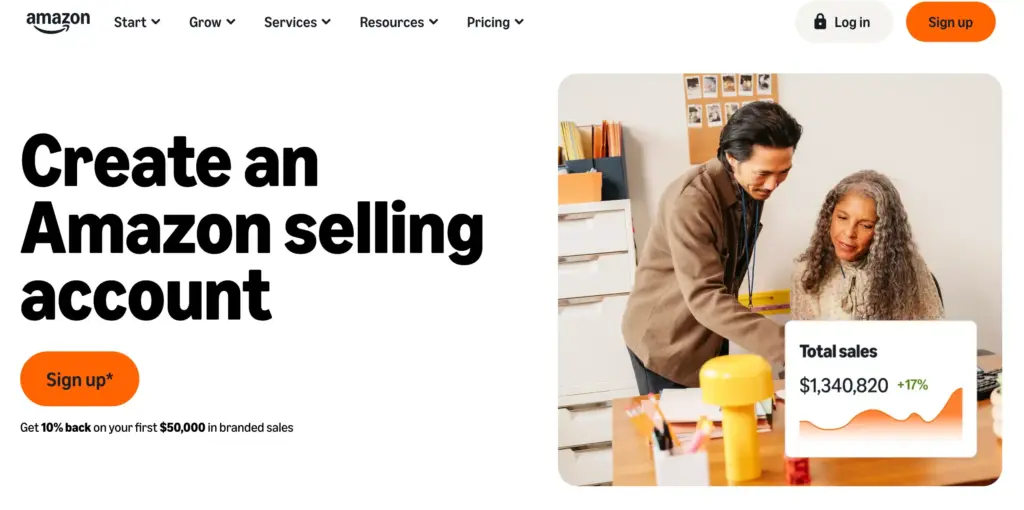
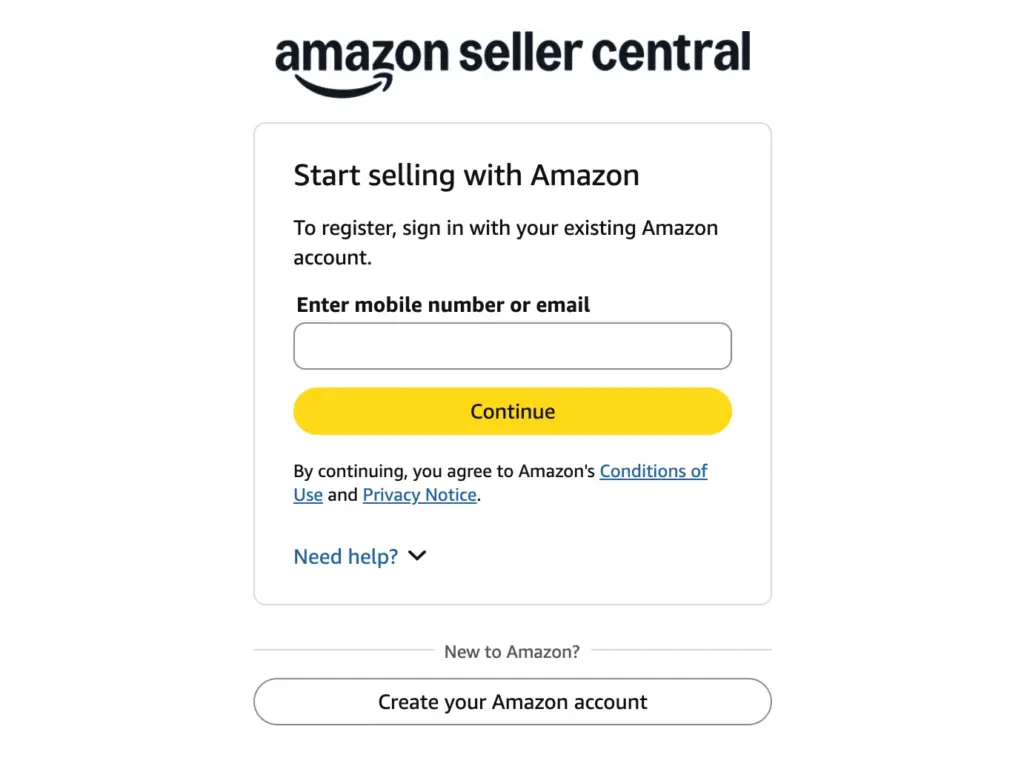
To sign up, provide your email address and create a password. Amazon will send a one-time password (OTP) to your email for verification. Enter the OTP to continue.
Step 2: Choose your selling plan
There are two Amazon selling plans available: the Individual plan & the Professional plan. Choose one that fits your needs.
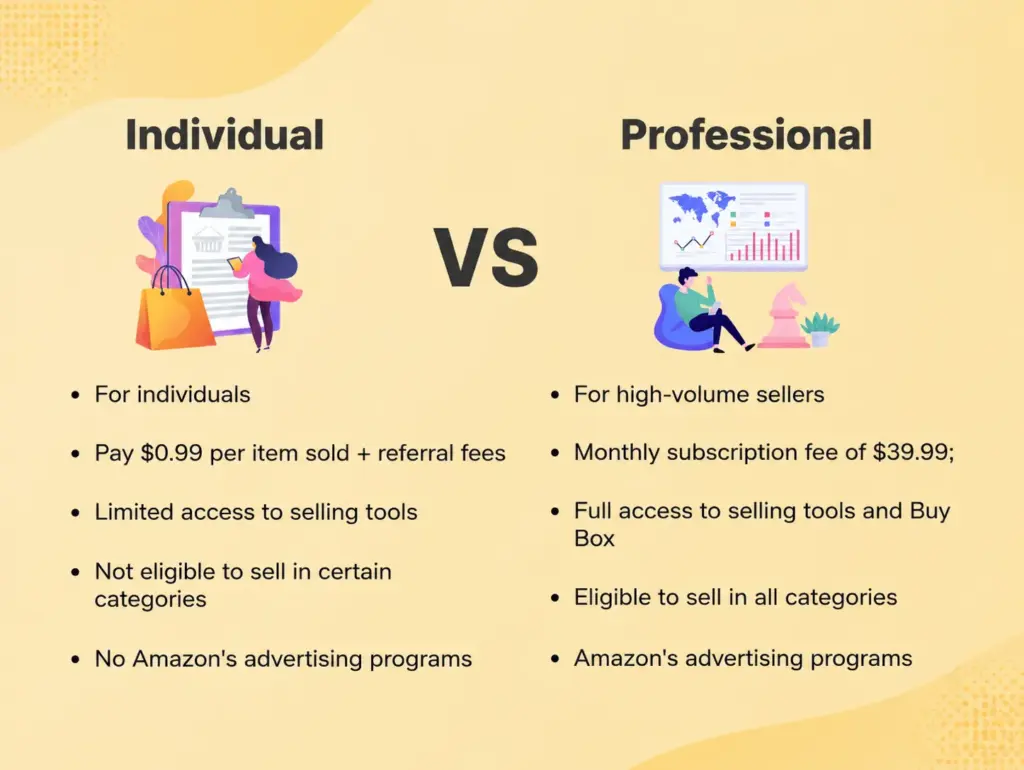
- Individual plan: No monthly fee, but you pay a per-item fee on every sale. Makes sense if you’re selling fewer than 40 items a month.
- Professional plan: A flat monthly subscription fee, but no per-item fee. Makes more sense once you’re consistently selling more than 40 items a month, and it also unlocks advertising tools and bulk listing features.
Step 3: Fill out your business information
Depending on your country and business type, you may need to provide a business name, address, and phone number. If you’re selling as an individual without a registered business, that’s usually fine too; you’ll just select “None, I am an individual” during signup.
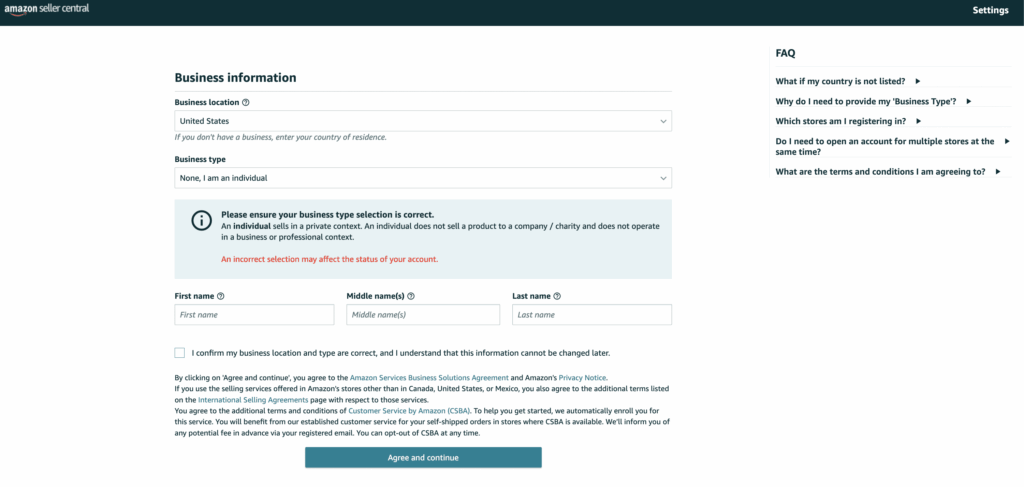
Step 4: Verify your identity
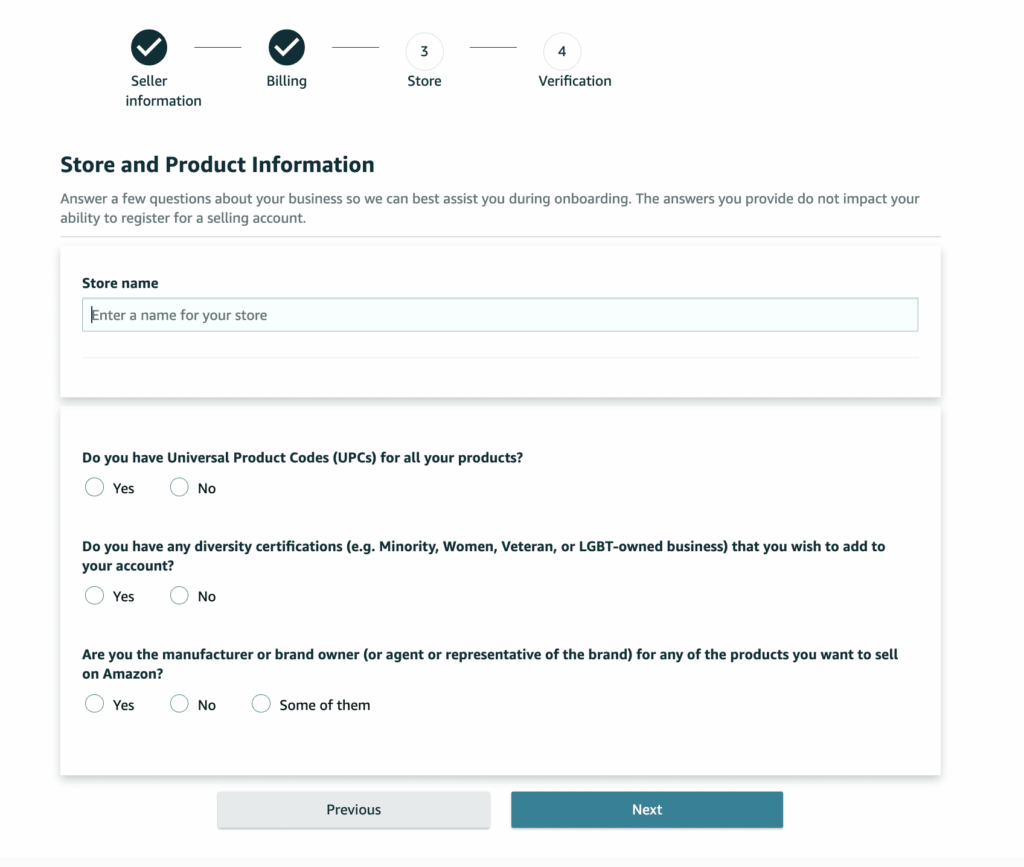
In this step, Amazon will verify your identity with the following steps. First, they will ask you to share your personal information.
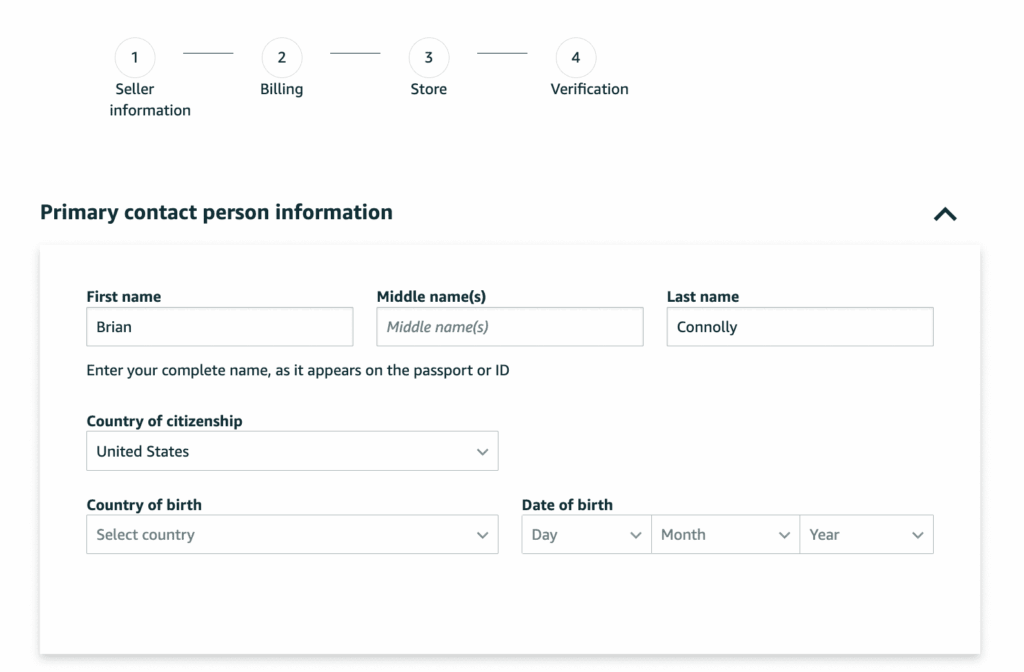
After submitting all your personal details. Your next step will be to provide Amazon with your billing information. This includes a valid bank account number and a valid credit card number.
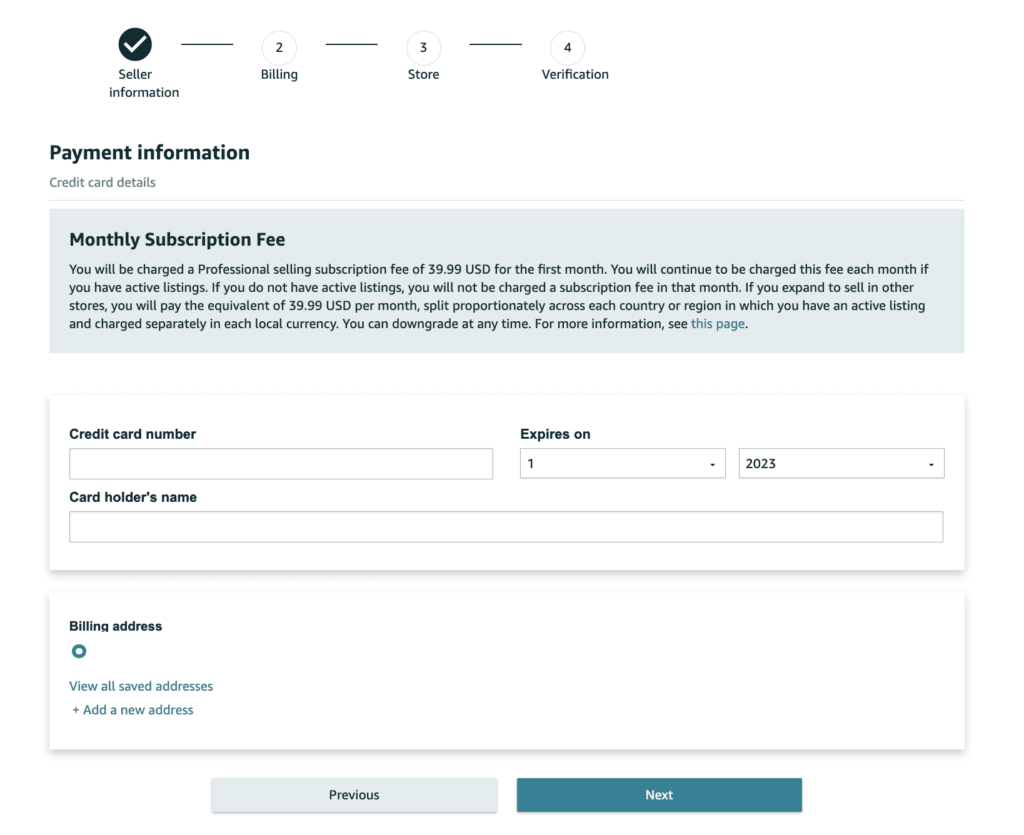
After that, you’ll be asked a few questions about your Amazon store and all other queries related to the products you plan to sell.
Now, in the final stage, Amazon will ask for a government-issued ID/Driving license to verify your identity.
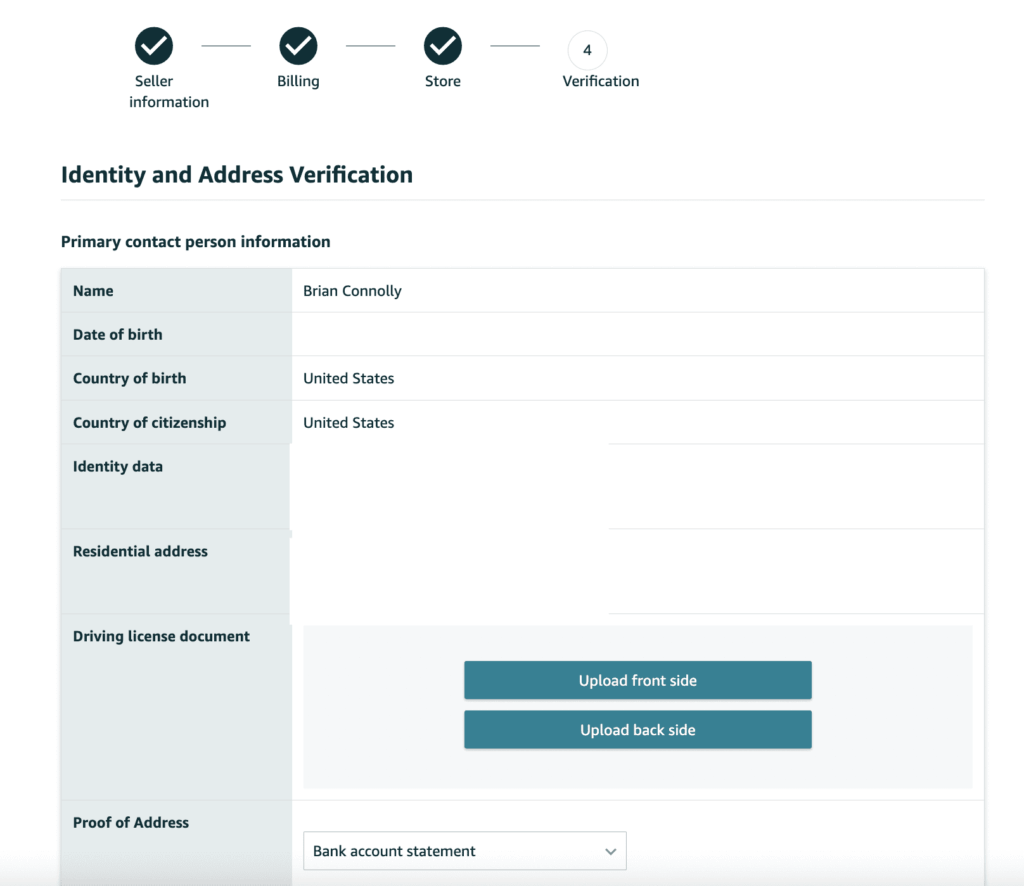
After submitting all the information, in some cases, they’ll also schedule a short video verification call. This step exists to prevent fraud, so don’t be surprised if it takes a day or two to clear.
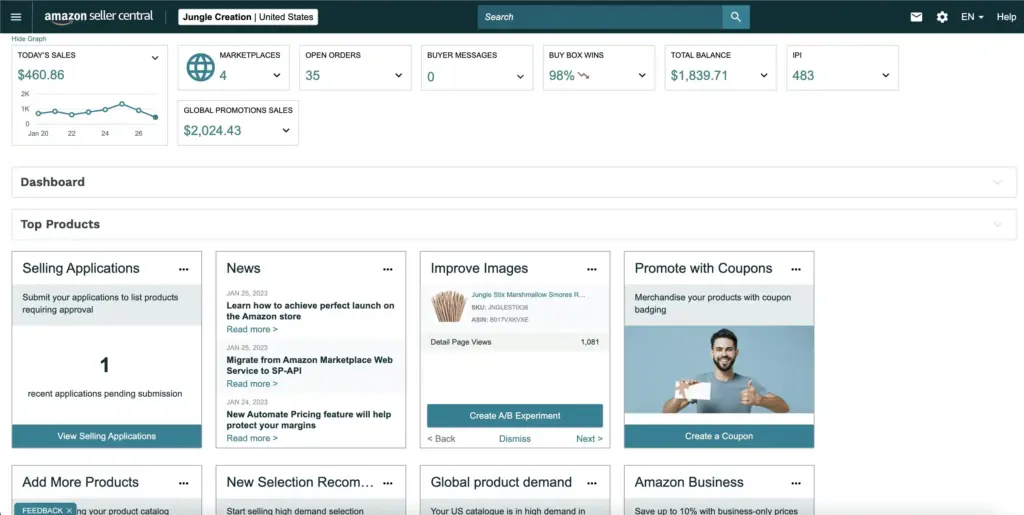
Once you’re verified, your Amazon seller account may look like that.
How much does it cost to sell on Amazon?
This is the part that surprises a lot of beginners. Amazon takes a cut at multiple points, not just once.
Referral fees: A percentage of each sale, typically ranging from 8% to 15% depending on the product category, though some categories run higher.
FBA fees: If you use FBA, you’ll pay a fulfillment fee per unit based on size and weight. This covers picking, packing, and shipping.
Storage fees: Ongoing fees for inventory sitting in Amazon’s warehouses, with higher rates for inventory stored longer than usual (long-term storage fees).
Closing fees: A smaller flat fee that applies to certain media categories, like books and DVDs.
Monthly subscription: If you’re on the Professional plan, this is a fixed monthly cost regardless of sales volume.
A simple example:
Let’s say you sell a kitchen gadget for $25.
- Referral fee (15%): $3.75
- FBA fulfillment fee: roughly $4.50 (varies by size/weight)
- Product cost (from supplier): $6.00
- Shipping to Amazon’s warehouse (per unit, averaged): $1.00
Rough profit per unit: $25 − $3.75 − $4.50 − $6.00 − $1.00 = $9.75
That’s before advertising costs, which most sellers run at least occasionally to get initial traction. The point isn’t the exact numbers here, since fees vary by category and product. The point is: always run this math before you commit to a product, not after you’ve already ordered 500 units.
Common mistakes first-time sellers make
A lot of new sellers repeat the same handful of mistakes. Knowing them in advance can save you real money.
- Choosing an oversaturated product: Entering a category with hundreds of near-identical listings and no differentiation.
- Ignoring fees when pricing: Setting a price that looks profitable until you subtract referral fees, FBA fees, and advertising costs.
- Using poor product images: Blurry or low-effort photos immediately signal a low-quality product, even if the product itself is great.
- Writing weak listings: Titles and bullet points that don’t actually explain why someone should buy this over a competitor’s version.
- Running out of inventory: Stockouts don’t just lose sales — they hurt your search ranking too, since Amazon favors reliable stock.
- Ignoring reviews: Not responding to negative feedback or failing to address recurring complaints in the product itself.
- Skipping competitor research: Launching a product without checking what similar sellers are already doing, pricing, and struggling with.
Most of these mistakes aren’t fatal on their own. But stacking two or three of them together is usually what causes a listing to quietly fail.
Amazon affiliate vs Amazon selling: Two ways to earn on Amazon
Everything we’ve covered so far assumes you’re buying inventory and selling it yourself. But that’s not the only way to make money through Amazon.
The other path is affiliate marketing, and it works completely differently. You don’t own any inventory. You recommend products through content like blog posts, comparison articles, or product roundups, and you earn a commission when someone buys through your link. No warehouse, no supplier relationship, no returns to manage.
| Factor | Amazon selling | Amazon affiliate marketing |
| Inventory required | Yes | No |
| Upfront investment | Higher | Lower |
| Risk level | Higher | Lower |
| Who owns the product | You | Amazon and the original seller |
| Your role | Retailer | Publisher |
| Customer service | Your responsibility | Not your responsibility |
| How it scales | Adding SKUs, more ad spend | Adding content, growing traffic |
Neither one is “better” on paper. It really comes down to how much risk you’re comfortable taking on right now, and how much time versus money you’re willing to put in upfront.
If holding inventory feels like too much to take on at this stage, affiliate marketing is a real alternative, not a consolation prize. You build a content site, write honest comparisons and recommendations, and earn commissions without ever touching a supplier or a warehouse.
AzonPress for affiliate marketing
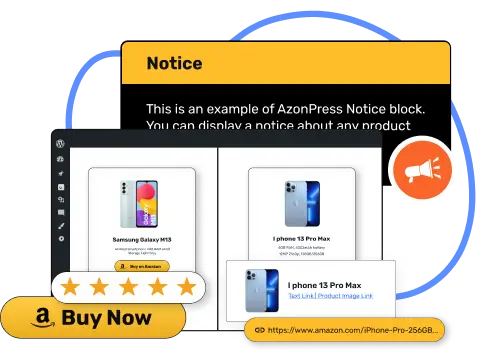
AzonPress is a WordPress plugin built specifically for Amazon affiliate marketers.
Instead of manually coding comparison tables or piecing together product displays post by post, you get ready-made blocks designed for exactly this kind of content, so you can focus on writing instead of formatting.
Key features of AzonPress include:
- Amazon product comparison tables
- Product showcase boxes
- Best seller lists
- Pros & cons sections
- One-click ASIN import
- Zero-API product integration
- Geo-targeting
- Responsive product displays
Manage links, create product tables, and comparison tables, and increase your affiliate revenue
Final thoughts
Selling on Amazon is genuinely accessible for beginners, but only if you approach it with a real plan instead of chasing quick wins.
Success comes down to a few consistent things: choosing a product with real demand, understanding exactly what fees will eat into your margin, building a listing that actually converts, and staying consistent even when the first few weeks feel slow.
Start small. Validate your first product idea before scaling up. And if inventory and fulfillment feel like more risk than you want to take on right now.
Whichever path you choose, the sellers who succeed are usually the ones who treated this like an actual business from day one, not a side experiment they hoped would work itself out.


Frequently asked questions
Here are some frequently asked questions regarding “selling on Amazon”.
1. How much money do I need to start selling on Amazon?
It depends heavily on your business model. Retail arbitrage can start with a few hundred dollars. Private label typically requires a few thousand dollars once you factor in inventory, packaging, and initial advertising.
2. Can I sell on Amazon without inventory?
Yes, through dropshipping (with strict policy compliance), Merch on Demand, or Kindle Direct Publishing. Amazon affiliate marketing is another inventory-free option, though technically it’s a different business model than “selling” in the traditional sense.
3. Is Amazon FBA better than FBM?
Neither is universally better. FBA works well for standard-size, fast-moving products where you want Amazon to handle logistics. FBM makes more sense for bulky, fragile, or slow-moving items where storage fees would eat into your margin.
4. What documents do I need to become an Amazon seller?
A government-issued ID, tax information, a valid credit card, a bank account, and a phone number. Depending on your country and business type, additional business documentation may be required.
5. Can beginners make money on Amazon?
Yes, but it requires proper product research, realistic fee calculations, and patience. Most successful sellers didn’t get there with their first product idea; they tested, adjusted, and learned from what didn’t work.



Read Similar Blogs
We build lasting partnerships to boost and manage revenue growth



Leave a Reply