

How to Promote eBay Products for Affiliate Marketing (Without API)


Affiliate marketing looks simple on paper: sign up, grab a link, start earning.
But once you’re inside an affiliate marketing program like eBay Partner Network, you may wonder: how do you add eBay products to your WordPress site without API access?
Yes, you can run a full eBay affiliate marketing setup without ever touching the API.
eBay’s Feed API is locked behind a sales history requirement, and the older Finding API is being phased out, which means most beginners get approved for the program but never get the tools that pull product data automatically. That doesn’t stop you from promoting eBay products.
If you’re an affiliate marketer who wants to promote eBay products but doesn’t have API credentials, you’re in the right place.
In this blog, we’ll cover:
- What eBay affiliate marketing actually involves
- What eBay expects from your site before approving you
- How to add eBay affiliate products to WordPress without an API
By the end, you’ll know exactly how to start adding eBay products to your site today.
Let’s get into it.
Understand eBay affiliate program
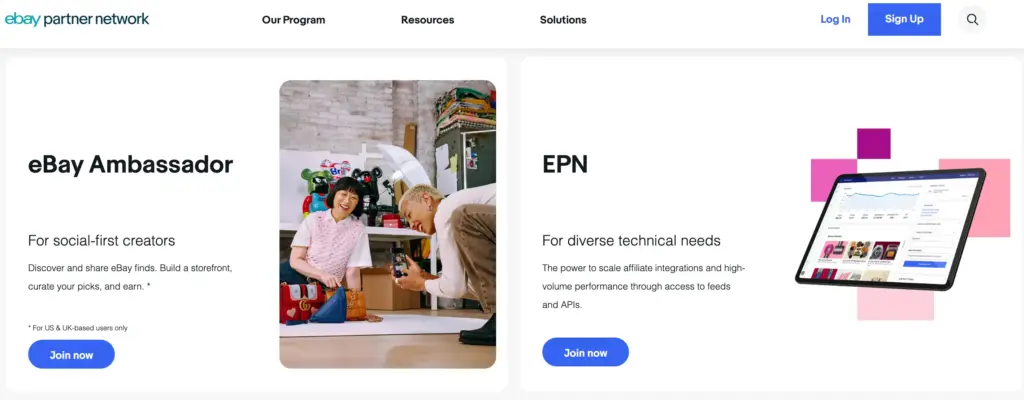
eBay affiliate program runs through the eBay Partner Network, or EPN, eBay’s own in-house affiliate program. You sign up, generate affiliate links for products or categories, and share them wherever your audience is. Someone clicks your link and buys within 24 hours; you get paid.
Here’s the quick breakdown:
- Commission: 1% to 4%, depending on the category
- Cookie window: 24 hours is tight, so link placement matters more than it does with most programs
- Payout: Monthly, usually around the 10th
- Availability: Global, with terms that shift slightly by region
Compare that to Amazon Associates: eBay’s cookie window is shorter, and commissions are usually lower. But eBay covers ground Amazon doesn’t: auctions, refurbished tech, collectibles. If you’re already running an Amazon affiliate site, eBay is worth adding alongside it, not swapping in for it.
Requirements for joining the eBay affiliate program
Before eBay approves you for EPN, they check a few things:
- A live website, blog, or social channel with actual content; empty placeholder sites get rejected
- Original content enough for eBay to believe you’ll send real traffic, not spam
- Compliance with eBay’s affiliate terms, including how you disclose affiliate links
- Nothing on the prohibited list adult content, hate speech, and illegal activitys are automatic disqualifier
Once approved, you get the EPN dashboard, the link generator, and reporting tools. What you don’t get automatically is API access; that’s a separate tier, locked behind your sales history.
Meet AzonPress: for zero API affiliate marketing
AzonPress is a WordPress affiliate marketing plugin, and it does something most affiliate plugins don’t: it lets you add products from Amazon, eBay, Etsy, or basically any platform, without ever connecting an API.
That’s the part that matters most here. You don’t need an API key, you don’t need to wait on approval, and you don’t need to hit a sales threshold first. You just add the product manually title, image, price, link and AzonPress turns it into a clean, clickable product display on your site.
But Zero API is just the starting point. Once you’re in, here’s what else you get:
- Comparison tables: Build side-by-side product comparisons that actually help visitors decide
- Customizable layouts: Grid, box, list, or widget- pick whatever fits your site
- Link management: Cloak, organize, and update your affiliate links without touching code
- Gutenberg widgets: Drop product elements straight into the block editor
- Geo-targeting: Send visitors to the shop closest to them
- Advanced reporting dashboard: Track clicks, views, and location data for every campaign
- Bestseller list: Automatically surface your top-performing products
- Custom CSS: Style your tables and displays to match your site, not a template
For eBay specifically, this means you can start promoting products the day you’re approved for EPN, no waiting on API access that might take months to qualify for.
Manage links, create product tables, and comparison tables, and increase your affiliate revenue
Tutorial: Steps to promote eBay products with AzonPress
AzonPress allows you to add Custom Product/s for your website, where you can add single or multiple custom products with affiliate links. With this feature, besides Amazon, you can also fetch data from other E-Commerce websites such as eBay and Etsy.
Well, now let’s see how you use AzonPress to promote eBay products without an API. Just follow the steps mentioned below.
Step 1: Install and activate AzonPress
AzonPress is a premium affiliate marketing plugin, so first purchase the plugin.
After completing your purchase, log in to the WPManageNinja Dashboard with your account credentials, and under My Products, you’ll find AzonPress.
- Download the ZIP file.
- Go to your WordPress dashboard > Plugins > Add New > Upload Plugin.
- Choose the ZIP file, click Install Now, and activate the plugin once it’s installed.
Step 2: Create custom product table
After installing AzonPress, now its time to create a custom product table with eBay products.
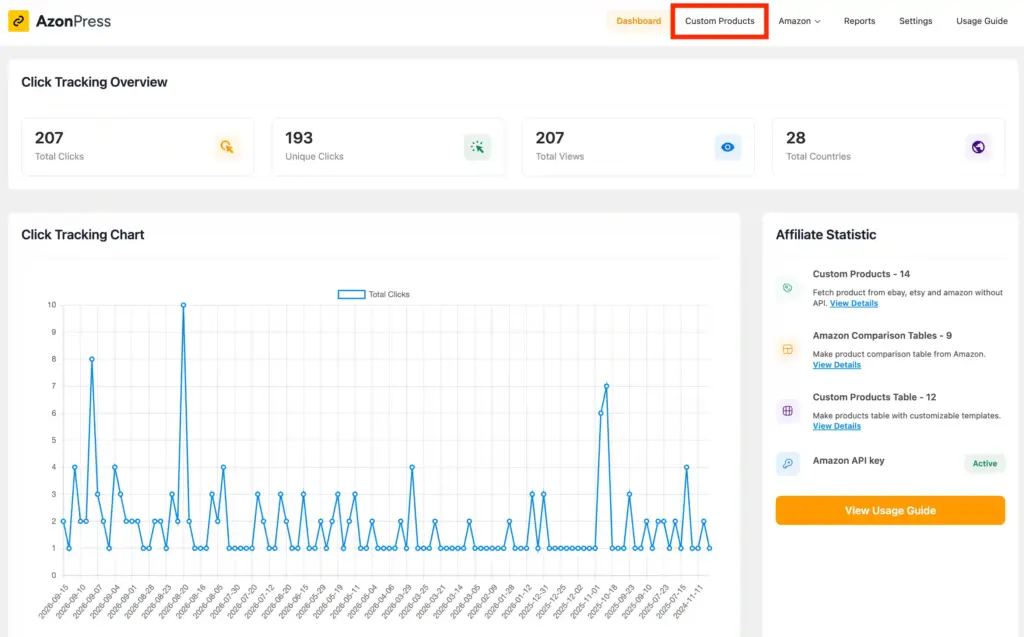
- To do so, go to the AzonPress dashboard > Custom products.
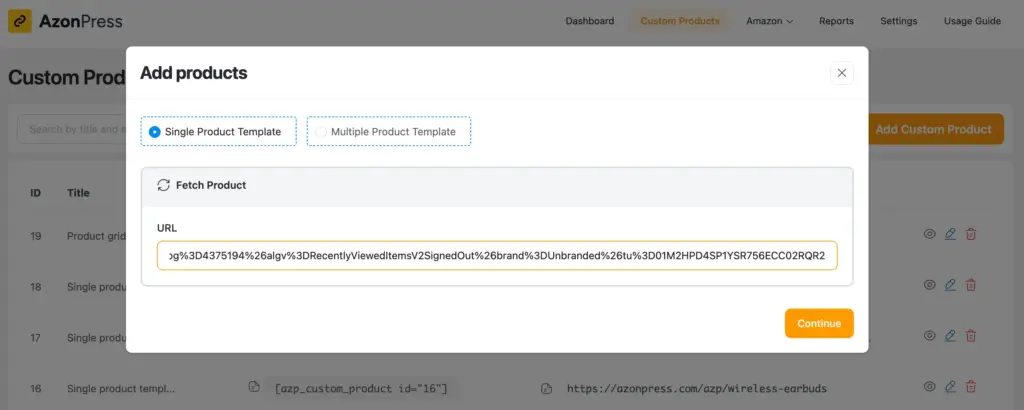
- Now, here you’ll find two options. Select the Single Product Template option if you want to add a single custom product. Or, select the Multiple Product Template option for adding multiple custom products.
- Then, enter the link to the eBay product that you want to add as a custom product under the URL field and press Continue. Your custom product/s will be added!
For example, here I have added a single eBay product as a custom product.
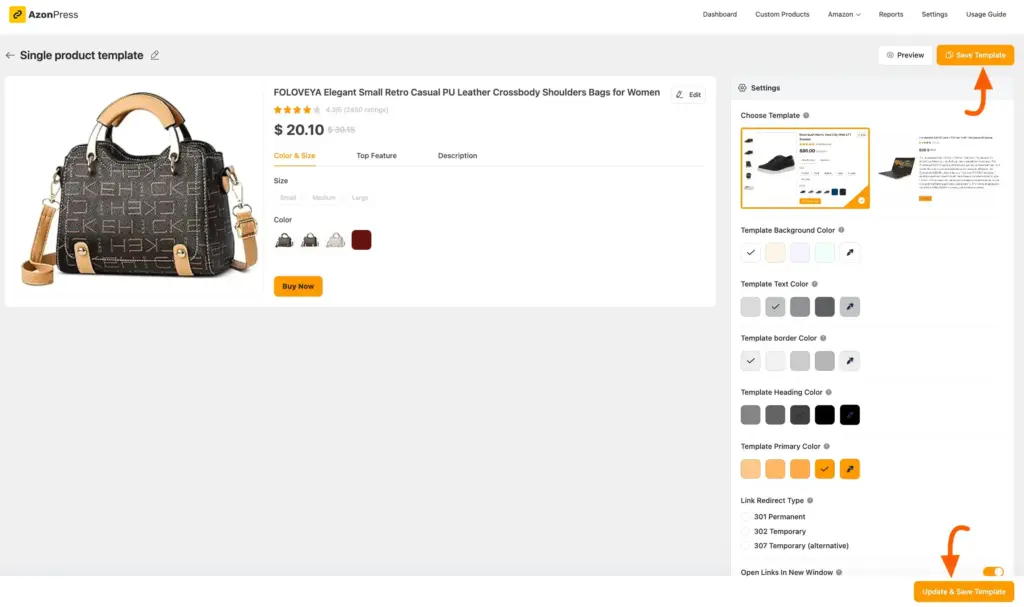
Step 3: Customize your product table
As you are working without an API, the product table can’t fetch your product information automatically. You’ve to manually customize your product table by your own.
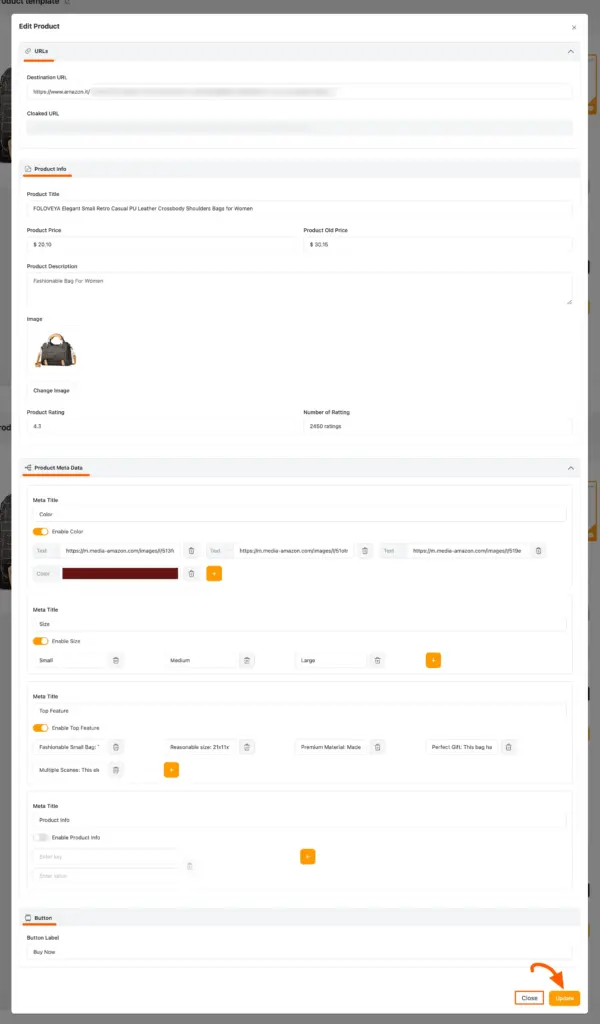
- To do so, click the Edit button, and a pop-up page will appear where you will get all the options to edit your product.
- With the options below, you can edit your custom products according to your needs.
- Once you complete your edit, click the Update button to save the changes.
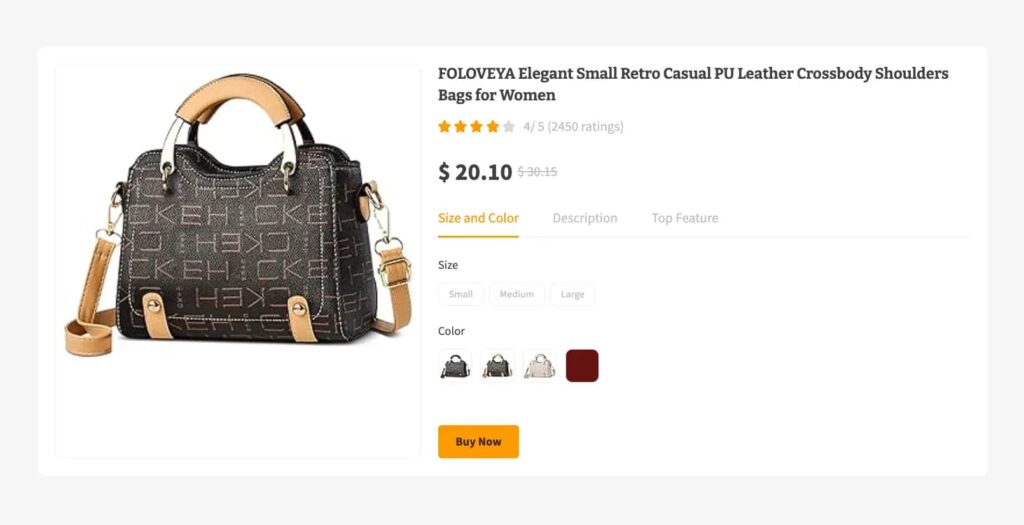
Here is the preview of how your custom products table may look.
Step 4: Embed the table on your website
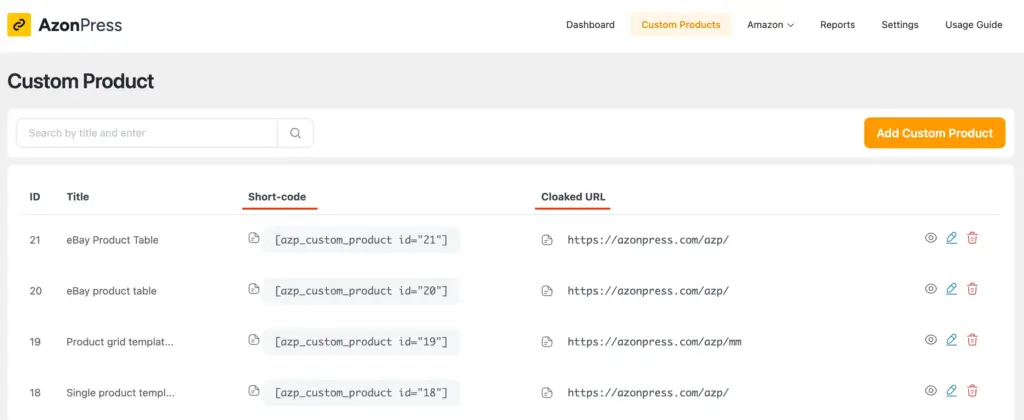
Once your table is ready, you’ve got two ways to add it to your site:
Option 1: Shortcode: Copy the shortcode and paste it into any page or post where you want the table to appear.
Option 2: Cloaked URL: AzonPress also generates a cloaked link for your custom product. Copy this link, and you can drop it anywhere other pages, blog posts, emails without rebuilding the table each time.
Use the shortcode when you want the full table displayed. Use the cloaked URL when you just need a clean, trackable link to a specific product.
Get access to our exclusive offers and pro tips!
Ready to promote eBay product without an API?
If you’re also trying to skip the API hassle, and promote eBay products, this can be your best solution.
I think you’re ready to build your own custom product table with AzonPress now. Following the same process, you can build a custom product table for any platform Amazon, Etsy, eBay, doesn’t matter.
I’ve tried my best to help you learn how to build eBay product table using AzonPress, without needing API credentials. Hope you’re clear now. If you have any questions, just drop a comment below; I love helping out.
Thanks for reading.
Ciao!


Frequently asked questions
Here are some frequently asked questions people often ask regarding eBay affiliate marketing.
1. Does eBay have an affiliate program?
Yes, it’s called the eBay Partner Network (EPN). You sign up, get approved, and start earning commissions on qualifying sales made through your affiliate links.
2. How does the eBay affiliate program work?
You join EPN, generate affiliate links for eBay products or categories, and share them on your site or socials. When someone clicks your link and buys within 24 hours, you earn a commission, typically 1% to 4% depending on the category.
3. What are eBay affiliate program requirements?
eBay checks for an active website with real content, compliance with their affiliate terms, and no prohibited content like adult material or illegal activity. Empty or placeholder sites get rejected.
4. Is eBay’s API free?
Access itself doesn’t cost money, but it’s gated behind requirements like sales history and account approval. That’s not really a pricing issue, it’s an eligibility one which is why manual product entry with a tool like AzonPress works for anyone starting out.
5. Does eBay have an API?
Yes, eBay has several APIs, including the Feed API and Browse API. But access isn’t automatic the Feed API requires you to hit a sales threshold first, which is exactly why most beginners start without it.



Read Similar Blogs
We build lasting partnerships to boost and manage revenue growth



Leave a Reply