

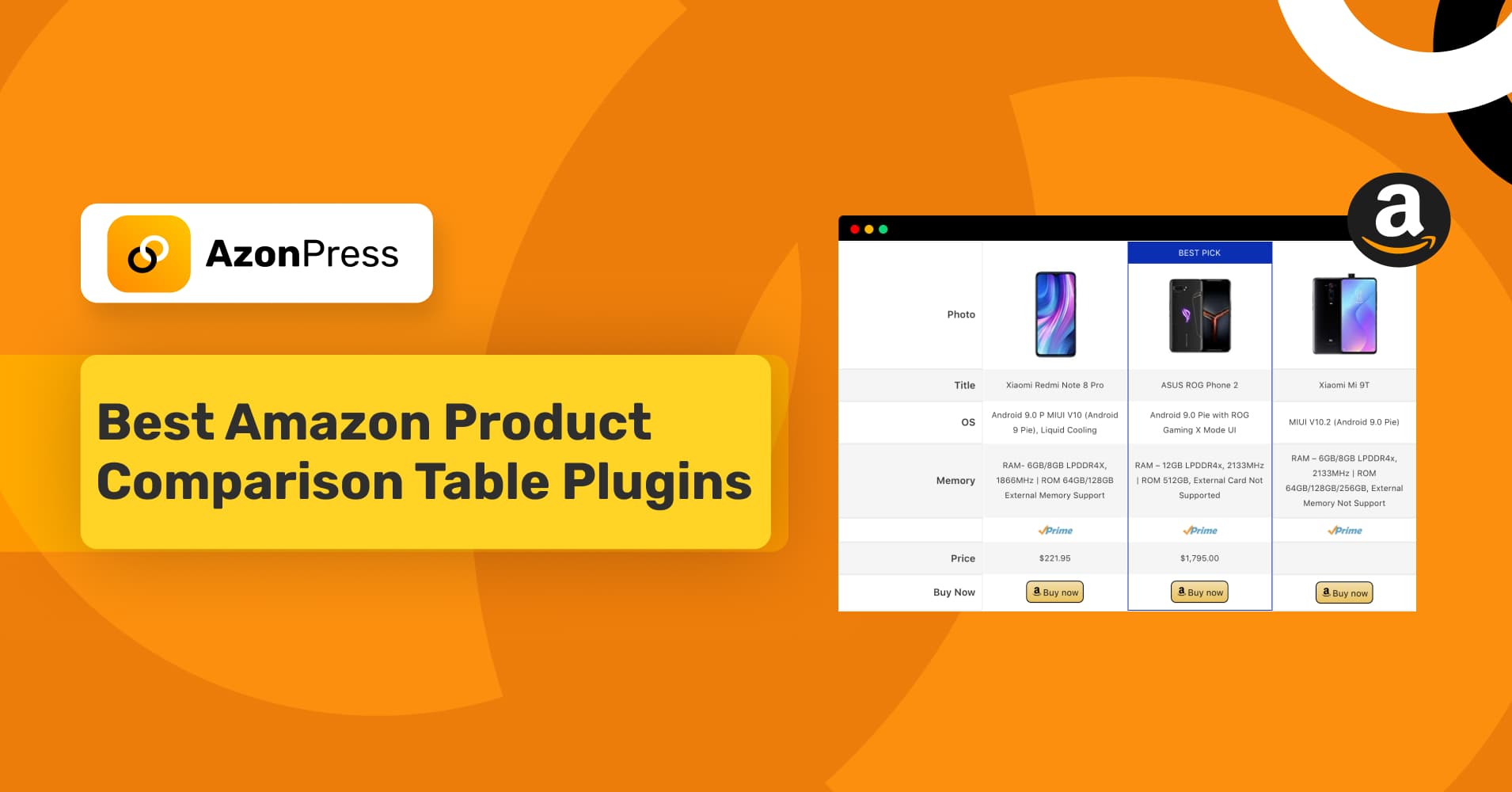
5 Best Amazon Product Comparison Table Plugins in 2026


Think of yourself as a customer: what kind of product table would attract you more?
A simple table that just shows products with pricing and configuration details, or a head-to-head product comparison table that lines up products from the same category?
If you ask me, I’d definitely go for the comparison table. It provides a quick overview of similar products in one place, helps you make a decision faster, and saves time.
You know, Amazon has thousands of products. Searching for similar items separately can be time-consuming and even confusing when it comes to deciding. That’s where an Amazon product comparison plugin comes in. It helps customers make quick decisions without being overwhelmed by endless product listings.
On WordPress, many Amazon affiliate plugins let you create product comparison tables and display them neatly on your website. In this blog, I’ll walk you through the 5 best Amazon product comparison plugins in 2025, selected based on their features and pricing.
So, without further ado, let’s dive in and explore!
TL;DR
Wait… before diving deeper, a quick note.
What changed with Amazon’s API (and why it matters here)
Quick recap, because this affects every plugin on this list differently.
Amazon deprecated the old Product Advertising API (PA-API v5) on April 30, 2026, and fully retired it on May 15. The replacement is called the Creators API, and it isn’t a small update — it’s a different authentication system (OAuth instead of AWS Signature keys), stricter eligibility requirements, and in some cases, a completely different setup process.
If a plugin depended on the old API for pulling live prices, images, and titles, it had to migrate or break. Sites that ran on outdated plugins in mid-May saw their product data stop updating overnight.
AzonPress handled this transition better than most, and for two separate reasons. First, it’s already updated to support the Creators API, so if you want live pricing and automatic product data, that connection works. Second and this is the bigger deal AzonPress also has a Zero API mode, letting you build and manage comparison tables without connecting to Amazon’s API at all.
So you’re covered either way: use the Creators API if you want live data, or skip the API entirely if you’d rather not depend on it.
What to actually look for in a comparison table plugin?
Before we jump into the list, let me quickly share what to look for in a solid Amazon product comparison table plugin. A few things matter more than a long feature list:
- How it gets product data in: Via API, via a no-API manual method, or both. This is your single biggest risk factor in 2026.
- Customization: Tables should match your site’s design, not look like a plugin default.
- Mobile responsiveness: Most Amazon traffic is mobile. If your table breaks on a phone, you’re losing conversions before the reader even gets to the “Buy” button.
- Site speed: A heavy plugin slows your whole site down, which hurts both conversions and rankings.
- Affiliate link handling: Cloaking, tracking, and geo-targeting so international visitors land on their own Amazon marketplace instead of a broken link.
Now that we’ve covered the basics, let’s dive into our top picks!
Top 5 Amazon product comparison table plugins
You already know the key factors to consider while choosing an Amazon affiliate plugin. Here, we list the top 5 Amazon product comparison table plugins that let you create a comparison table directly from your WordPress website.
AzonPress – best for avoiding the API problem entirely
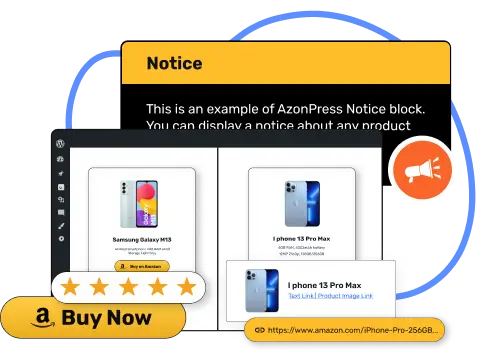
AzonPress is an affiliate marketing plugin for WordPress built around comparison tables, product boxes, bestseller lists, and responsive product showcases all from one plugin.
You can pull products in with just an ASIN or URL, and it grabs the image, price, title, and description automatically. What matters most this year is that AzonPress covers both sides of the API situation: it’s already updated to support Amazon’s new Creators API, so live pricing and product data work as expected. But it also has Zero API mode, which lets you build and manage tables without connecting to Amazon’s API at all.
That second part is the real safety net. Even if Amazon changes the rules again next year, sites running AzonPress in Zero API mode aren’t affected. You’re not stuck choosing between “migrate on Amazon’s timeline” or “watch your tables break” you get a working option no matter what.
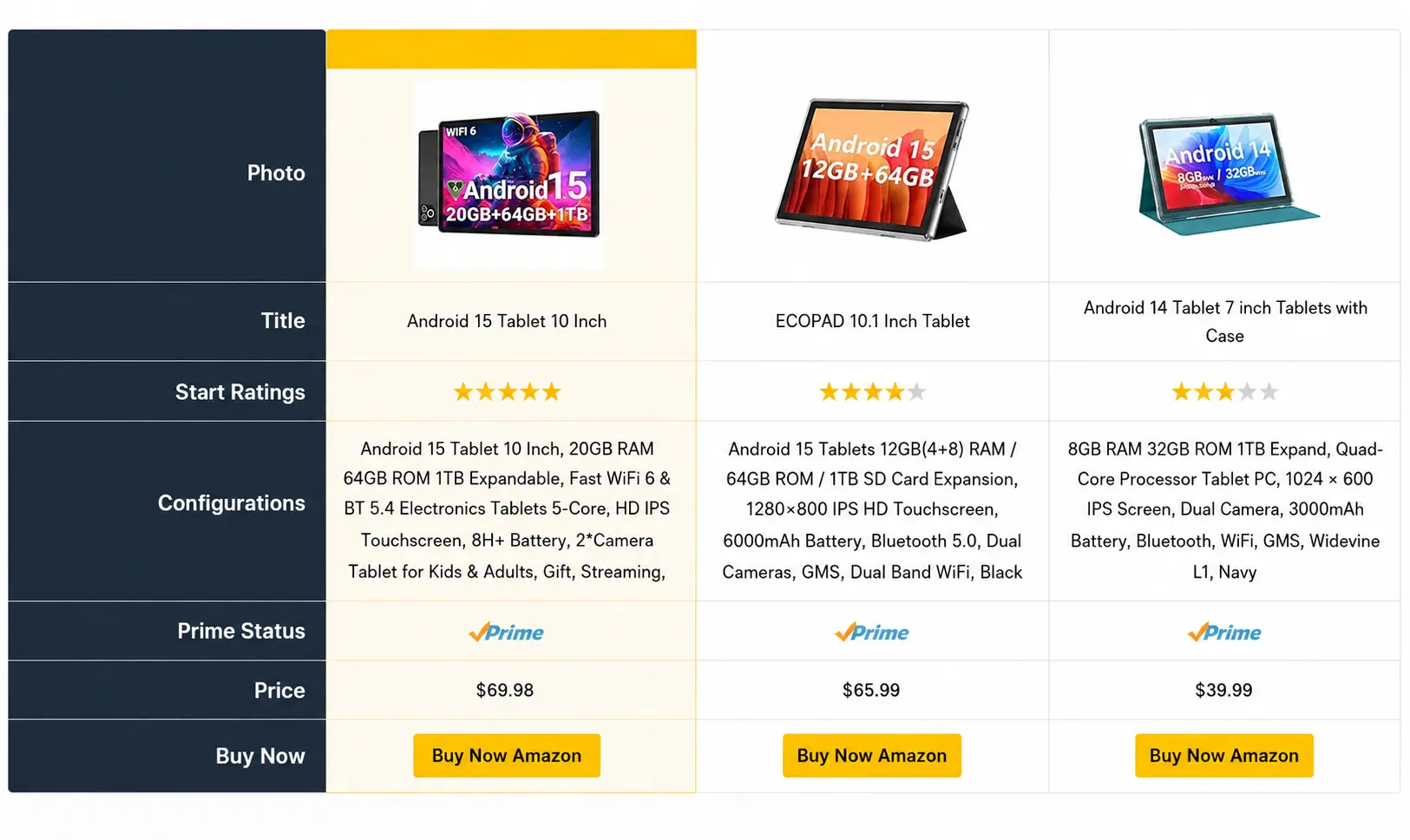
And yes, every product table is fully responsive, mobile-ready, and designed to convert.
Key features of AzonPress include:
- One-click Amazon product import via URL or ASIN
- Multiple comparison and single product table layouts
- Built-in affiliate link cloaking and management
- No Amazon API required – simple setup
- Customizable designs to match your branding
- Geo-targeting for international visitors
- Native Gutenberg integration
- Performance analytics dashboard
- Mobile-responsive design
Pros:
- Very easy to use, even beginners can create professional tables
- Lightning-fast loading times won’t slow down your site
- Excellent customer support with detailed documentation
- Regular updates and new features added frequently
Cons:
- Only pro version is available
Pricing: Starts at $39/year for a single site license, with lifetime plans available from $199.
Best For: Serious affiliate marketers who want professional-grade comparison tables without the technical headaches.
Manage links, create product tables, and comparison tables, and increase your affiliate revenue
AAWP – Amazon affiliate plugin for WordPress

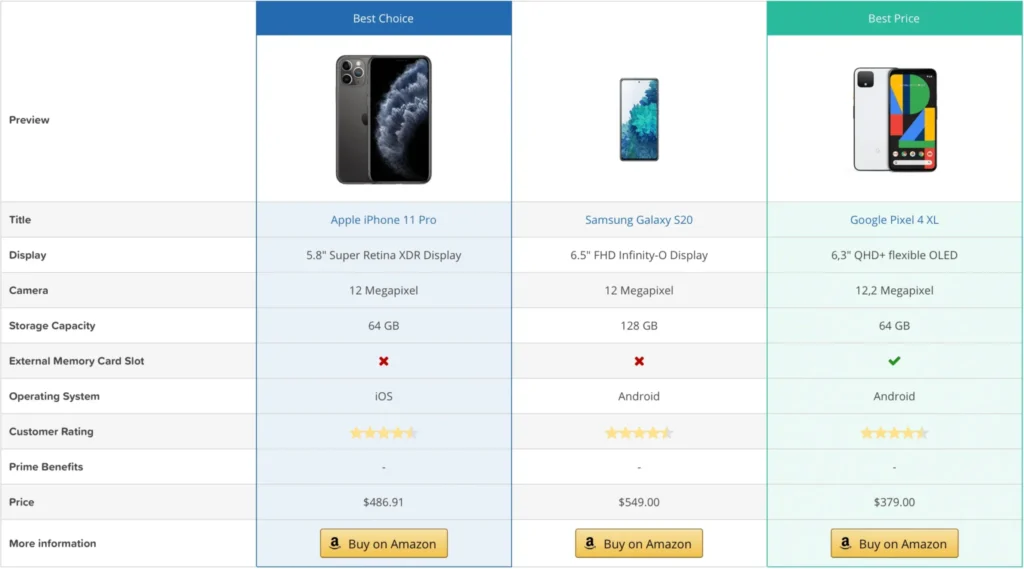
AAWP is one of the great plugins for Amazon affiliates. It has been around for years, and there’s a good reason why it’s still popular among affiliate marketers. This plugin is known for its reliability and robust feature set. With AAWP, Amazon products appear on your website in a familiar layout, making it easy for users to navigate and quickly understand where to click.
What you love about AAWP is its automatic price updating system. Once you set up your comparison tables, the plugin keeps all product information current without you lifting a finger. No more embarrassing, outdated prices that turn off potential customers.
Key features:
- Real-time price and availability updates
- Multiple display formats (tables, lists, boxes)
- Built-in bestseller lists
- Link shortener
- Sorting and filtering
- Geotargeting for international affiliate programs
- CSV import/export functionality
- Custom field support for detailed comparisons
Pros:
- Excellent for large-scale affiliate sites
- Detailed analytics and reporting features
- Strong focus on Amazon’s terms of service compliance
- Great for creating automated content
Cons:
- Steeper learning curve compared to newer plugins
- Interface feels a bit dated
- Limited design flexibility out of the box
Pricing: Starts at €79/year for one site (for 10 sites, it costs approximately $299).
Best For: Experienced affiliate marketers who prioritize functionality and automation over flashy design options.
Lasso– best replacement for the bulk product management slot

Lasso is a conversion-focused affiliate plugin for WordPress that handles product displays, comparison tables, and affiliate link management from one dashboard. It pulls in Amazon product titles, images, and pricing directly, and it can import product data even without an Amazon API key connected.
Beyond the table builder, Lasso gives you access to a private deals network with higher payouts than standard Amazon Associates rates on select products, along with alerts for broken links and out-of-stock items so your comparison tables don’t quietly go stale.
Key Features:
- Product comparison tables built for review and roundup posts
- Amazon product import with or without an API key
- Link management and cloaking across multiple affiliate networks, not just Amazon
- Broken link and out-of-stock alerts
- Access to a private deals network with higher payouts on select products
- Geo-targeting for international visitors
Pros:
- Works even without an Amazon API connection
- Handles more than just Amazon, useful if you promote across networks
- Alerts you before a broken link or out-of-stock product costs you conversions
- Clean, design-forward table builder
Cons:
- Runs on a monthly subscription rather than a one-time or simple annual fee
- Free plan is limited to single product displays, not full tables
- Pricier than AzonPress or Ninja Tables at the entry tier
Pricing: Free plan available for basic use; paid plans start around $19/month, up to $59/month for the full-featured tier.
Best For: Marketers who want comparison tables plus real affiliate link management in one plugin, and don’t mind paying monthly for it.
4. Ninja Tables – Table builder plugin for WordPress
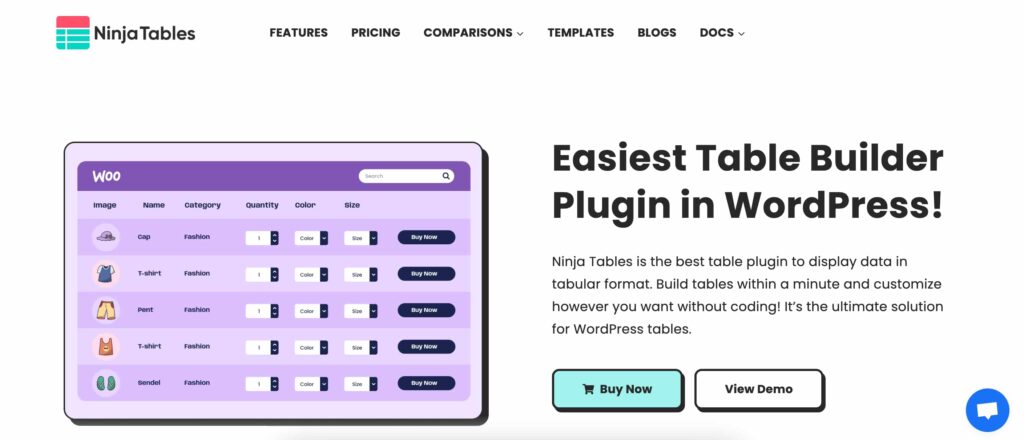
Ninja Tables is one of the most popular table plugins for WordPress. While it wasn’t designed specifically for Amazon affiliates, it’s become a go-to choice for many marketers who need a flexible comparison table builder. The interface is clean and simple, built around a drag-and-drop system that anyone can figure out.
You can create product comparison tables, pricing tables, feature comparisons, or any other type of data table you need. This flexibility is particularly useful if you promote products from multiple platforms, not just Amazon. The plugin comes with ready-made templates, so you don’t have to start from scratch.
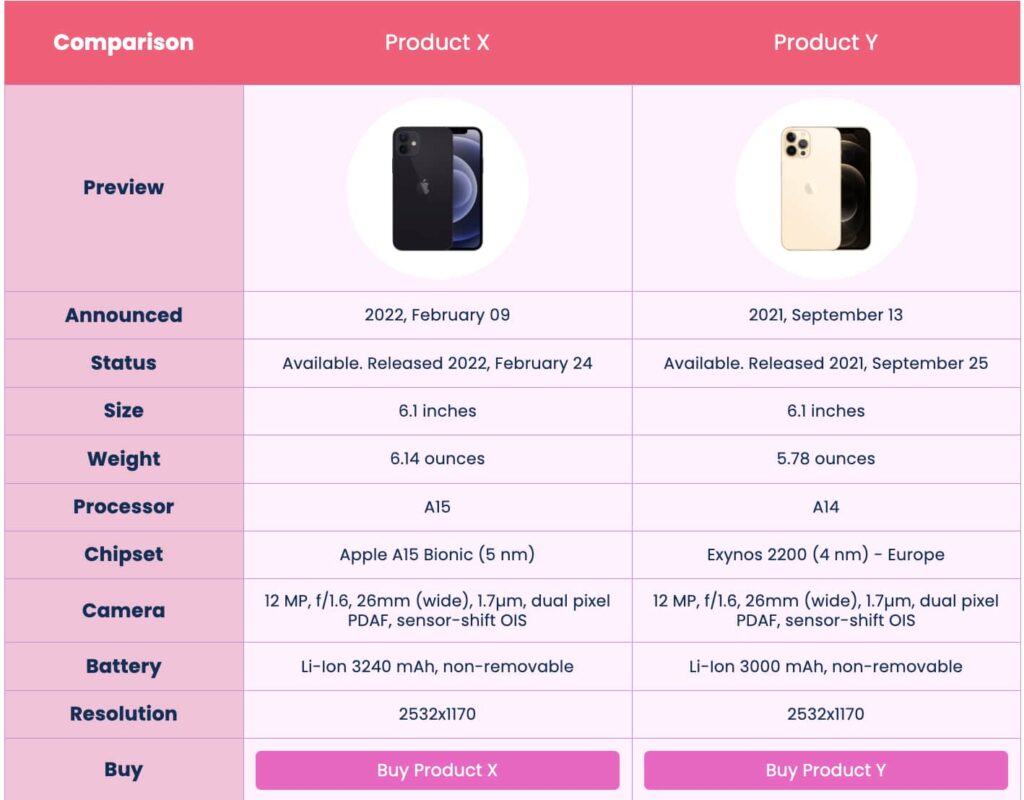
The plugin comes with both free and premium versions. Free version, making it accessible for beginners, while the pro version offers advanced features for experienced users who need more customization options. The tables work well on mobile devices and integrate easily with most WordPress themes.
Key Features:
- Simple drag-and-drop table builder
- Responsive design that works on mobile
- CSV/JSON import for bulk product uploads
- Filtering and sorting options for visitors
- Google Sheets integration for easy updates
- Multiple pre-designed templates
- Table design and frontend editing
- Conditional formatting
Pros:
- Works for any type of comparison table, not just Amazon
- Free version includes useful features
- Easy to learn and use
- Good for sites with mixed content types
- Regular updates and decent support
Cons:
- No automatic Amazon price updates
- Requires manual product information updates
- Less specialized for affiliate marketing
Pricing: Free version available, Pro version starts at $63/year
Best For: Affiliate marketers who need flexible tables for different types of products and don’t mind manual updates.
5. AffiliateX – The modern Gutenberg-first solution
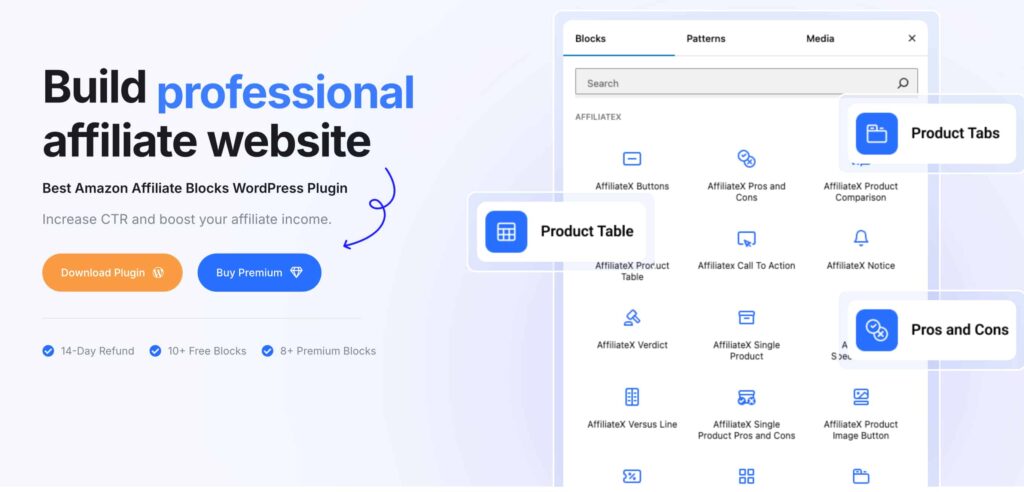
AffiliateX is a well-known Amazon affiliate block WordPress plugin. It’s quickly gaining popularity for its modern approach and Gutenberg integration. If you love using WordPress’s block editor, this plugin will feel right at home.
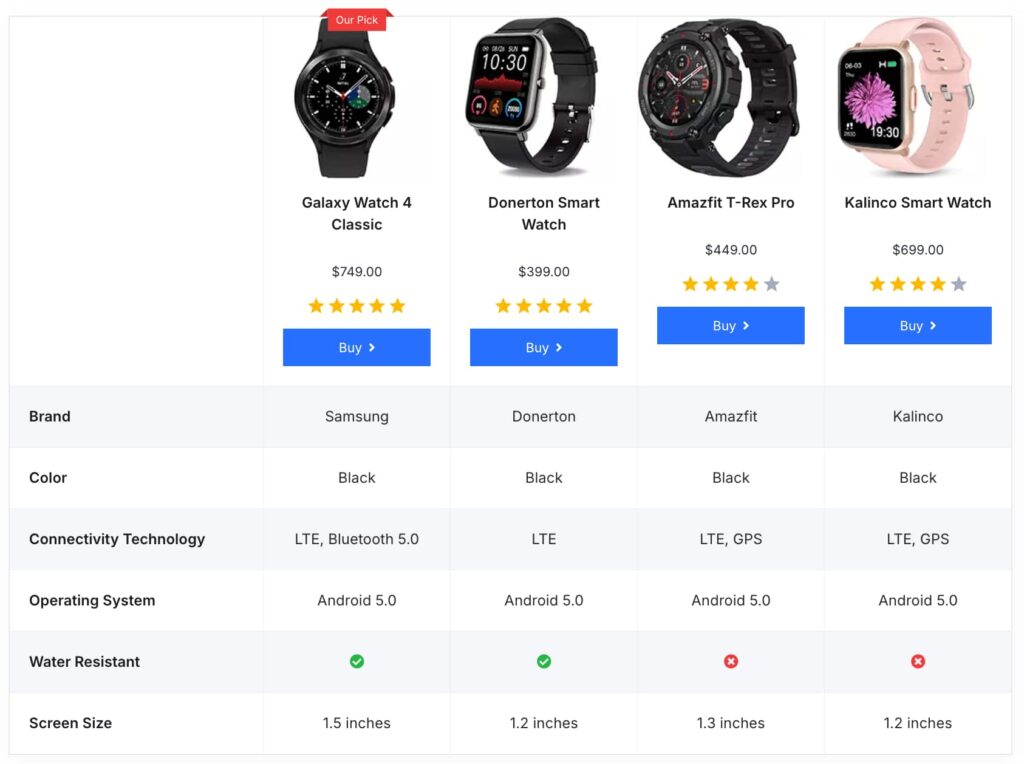
The plugin focuses on creating beautiful, conversion-optimized affiliate content blocks, including product comparison tables. The design templates are modern and mobile-first, which I really appreciate in today’s mobile-heavy world.
Key features:
- Native Gutenberg blocks for all affiliate content types
- Product comparison block with Amazon integration
- Pre-designed templates for quick setup
- Call-to-action buttons with conversion tracking
- Schema markup for better search visibility
- Image optimization and lazy loading
- Integration with popular affiliate networks beyond Amazon
Pros:
- Perfect integration with WordPress Gutenberg editor
- Modern, clean design templates
- Great for content creators who prefer block-based editing
- Affordable pricing for the feature set offered
- Regular updates with new blocks and features
Cons:
- Newer plugin with a smaller user base
- Limited customization compared to established alternatives
- Amazon integration is still developing compared to dedicated tools
Pricing: $24/month for 10 sites
Best for: Content creators who prefer working with Gutenberg blocks and want modern-looking affiliate content.
Click here to discover “Is Affiliate Marketing Worth It in 2026?”
Quick comparison: 5 best Amazon product comparison table plugins
Feature | AzonPress | AAWP | AmaLinks Pro | Ninja Tables | AffiliateX |
Starting Price | $39/year | $79/year | $97/year | $63/year | $59/year |
Amazon Integration | |||||
Ease of Use | |||||
Customization | |||||
Mobile Responsive | |||||
Auto Amazon Price Updates |
Which Amazon product comparison table plugin should you pick?
Choosing the right plugin depends on your specific situation. Let me help you figure out which one fits your needs best:
If you’re just starting and want something that works right out of the box, go with AzonPress. The interface is intuitive, and you’ll have professional-looking comparison tables up in no time.
If you’re managing a large affiliate site with hundreds of products, AAWP is your best bet. The automation features and bulk management tools will save you tons of time.
If you’re on a tight budget but still want powerful features, AmaLinks Pro offers the best bang for your buck at $47/year.
If you need maximum flexibility for different types of content, Ninja Tables gives you the most options beyond just Amazon products.
If you love working with Gutenberg and want modern-looking content blocks, AffiliateX is perfect for content creators who prioritize design and user experience.
Wrapping up
Creating effective Amazon product comparison tables doesn’t have to be complicated, especially when it comes to making purchasing decisions.
The truth is no plugin is going to magically turn you into a commission-earning machine overnight. The right plugin can transform your affiliate marketing results by helping visitors make faster.
Don’t overthink it. Pick a plugin that doesn’t make your head spin every time you try to create a table. I’ve seen too many people get caught up in feature lists and end up never actually building anything.
If you asked me to recommend just one plugin, I’d still go with AzonPress. Because it costs less than some alternatives, saves time, and reduces extra hassle. Plus, their support actually responds when things go wrong.
If you are done reading about plugins, go ahead and create awesome tables with AzonPress. I can bet you’ll definitely love it.





Read Similar Blogs
We build lasting partnerships to boost and manage revenue growth





Leave a Reply