

Brand Resource
This guideline ensures harmony in our brand assets. Correct usage keeps our brand voice consistent.
AzonPress Logo
The AzonPress logo is the face of our brand. It reflects who we are, what we stand for, and the trust we build. Here’s everything you need to keep our logo looking consistent and professional everywhere it appears.

Primary Logo

Secondary Logo

Monotone Dark Logo

Monotone White Logo
AzonPress Icons
The AzonPress icon captures our brand at a glance. It’s perfect for tight spaces, app icons, or anywhere you need a simple yet powerful visual mark.

Primary Icon

Secondary Icon

Monotone Dark Icon

Monotone White Icon
AzonPress Logo Usage Guidelines
The AzonPress logo pairs our distinctive “link” icon with the AzonPress wordmark.
The primary horizontal version is recommended for most applications.
To maintain clarity and impact, avoid using the logo at sizes that compromise legibility, and always use the official logo files provided.
Logo Scale Guidelines
For smaller applications, use the dedicated small-size logo variation. It’s optimized for widths between 140px and 240px to maintain clarity and visual balance.
When the logo needs to appear even smaller, between 30px and 70px in height, use only the AzonPress icon. Avoid using the stacked logo at these sizes to preserve readability and brand consistency.”
Dos and Don’ts
When it comes to using our logos, there are several important dos and don’ts to keep in mind. First, always ensure that you use the logos in their original form without any alterations.
Do
Use the full-color logos only on white or light backgrounds. When placing the logo on a photograph, ensure the logo is positioned over a white or lighter area of the image to maintain visibility.



Don’ts
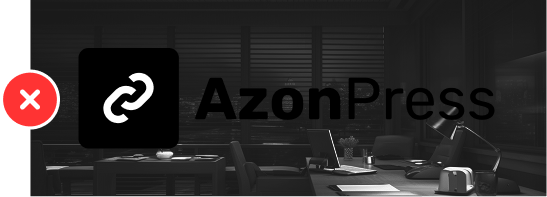
Don’t use the full-color logo on any background that fails accessibility. Always make sure it’s easy to see and has proper visual contrast. And do not alter any part of the logo’s color (logomark and wordmark).



Brand Color Palette
Use these color proportions in any layout or collateral design. Text should always be set in dark grey (Text Color). Use the secondary color for buttons and focus areas. The primary color is AzonPress’s main brand color; use it as a neutral tone or wherever brand representation is needed.
#FFC700
CMYK 0, 22, 100, 0
Primary
#242F3E
CMYK 42, 24, 0, 76
Secondary
#FFEFC4
CMYK 0, 6, 23, 0
Accent
#1A202C
CMYK 41, 27, 0, 83
Text
Icon’s Guidelines
Dos
Don’ts

Writing Guidelines
The do’s and don’ts of talking about AzonPress in your content or copy.